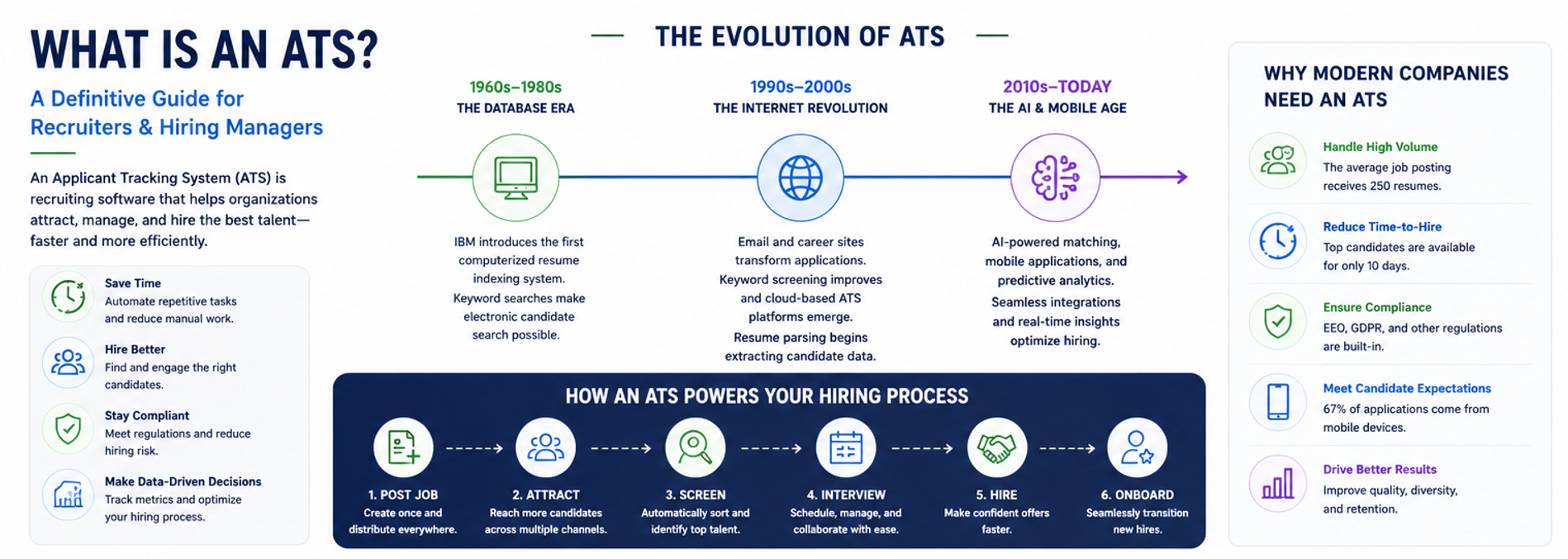

Here’s a fact that might surprise you: ATS pricing ranges from $0 (free) to over $100,000 per year, yet 86% of recruiters say even a basic system reduces their time-to-hire. That massive price range exists because enterprise corporations need different features than a 10-person startup. The good news? You don’t need to spend thousands to get professional hiring tools.

Cloud technology has completely changed the game for small businesses. What used to require expensive servers and IT teams now runs smoothly in your browser for the price of a Netflix subscription. The low-cost applicant tracking systems market is growing at 6.7% annually, precisely because these tools deliver real value without the enterprise price tag.
Think about it: if you’re manually tracking candidates in spreadsheets, you’re already paying hidden costs in lost time, missed candidates, and hiring delays. Modern, affordable ATS platforms eliminate those inefficiencies while keeping your budget intact. Whether you choose a free option or invest in budget recruiting software like Ninja Gig at $49 per month, you’re getting automation that used to cost tens of thousands.
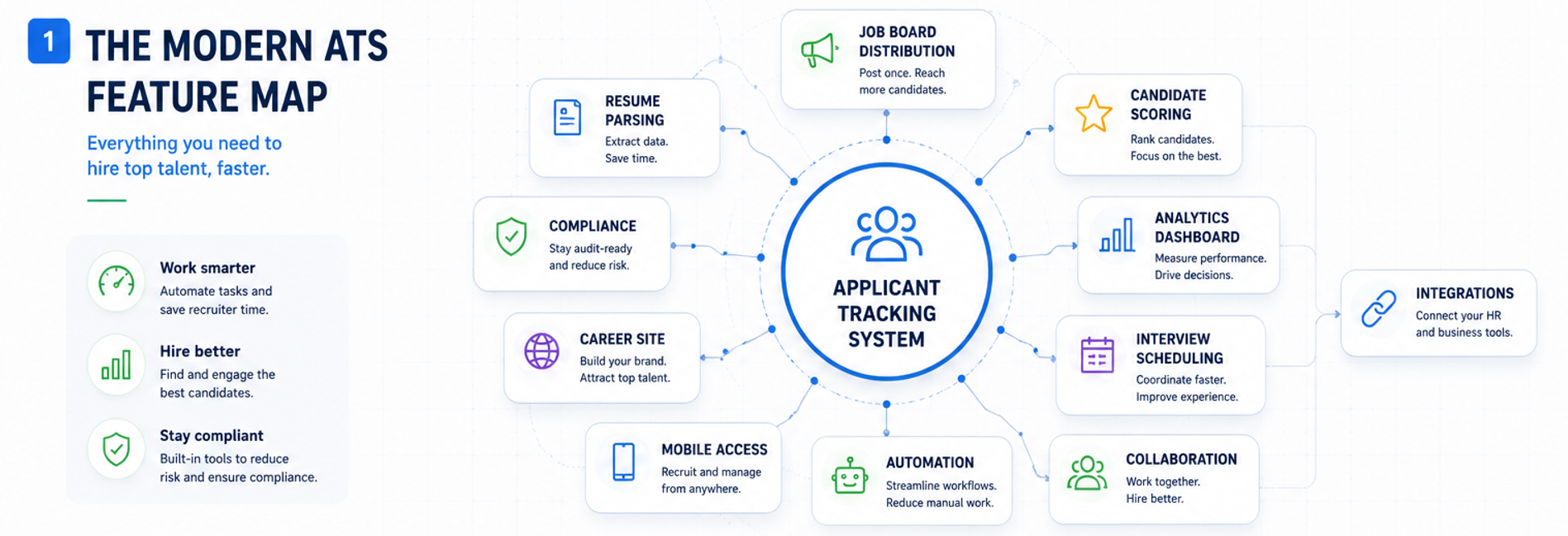
The democratization of hiring technology means startups can now compete for talent using the same automated workflows as Fortune 500 companies. You post once, syndicate everywhere. Resumes parse automatically. Interview scheduling happens without email ping-pong. All at a fraction of traditional software costs.
Let’s dive into how these systems price their services and which options deliver the most bang for your buck.
How ATS Pricing Works: Models & Hidden Fees
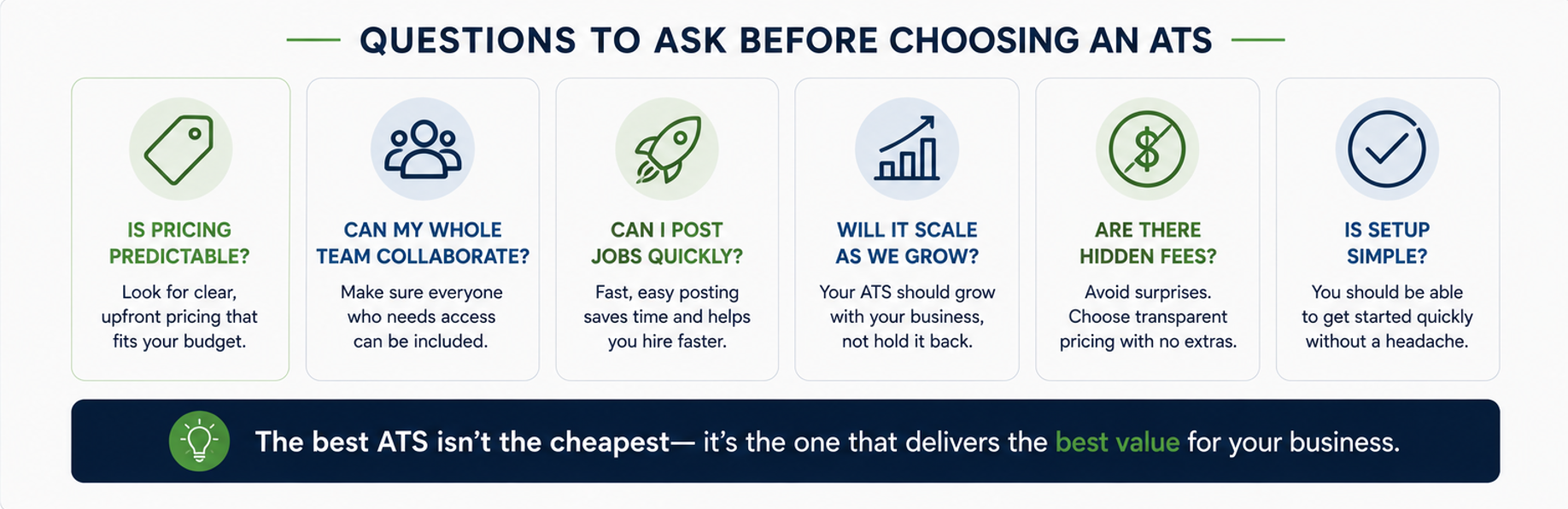
Understanding ATS pricing models is crucial to avoiding budget surprises. Most vendors use one of three approaches, each with distinct advantages and potential pitfalls.
Per-Seat (Per-User) Pricing
The per-seat ATS model charges you for each recruiter or admin who needs system access. Typical rates run $60 to $100 per seat per month. This works well when you have a dedicated hiring team of 1-3 people. The predictability helps with budgeting, and you only pay for actual users.
The downside? Growth hurts. Add two managers who need to review candidates? That’s another $120- $ 200 per month. Bring in a coordinator to help with scheduling? There goes another seat. Small teams quickly find themselves paying $300-500 monthly for what started as a $100 subscription.
Per-Job (Pay-Per-Posting) Pricing
Some platforms charge $100 to $500 per active job opening. This model attracts companies with sporadic hiring needs. Post one role per quarter? You’re looking at $400- $ 2,000 annually. Sounds reasonable until you hit a growth spurt.
The trap here is scaling. Need to fill 12 positions during expansion? That single hiring push could cost $1,200 to $6,000. Plus, many per-job platforms still limit features or charge extra for premium job boards. What seemed affordable becomes a budget buster.
Flat/Unlimited Plans
Flat-rate platforms charge one price for unlimited job postings and often include multiple user seats. Ninja Gig exemplifies this model at $49 monthly for unlimited everything. Post 50 jobs or 5 at the same price. Add your entire management team at the same price.
This predictability transforms hiring from a variable cost to a fixed operating expense. No surprises, no overage fees, no seat-counting politics about who gets system access.
Cost Comparison Snapshot
Let’s run real numbers for a typical small business scenario:
3 recruiters, 5 active roles: Per-seat model costs approximately $210/month (3 × $70) versus unlimited at $49/month
Hiring surge with 12 roles: Pay-per-job model balloons to $1,200 (12 × $100 minimum) versus unlimited still at $49
The math speaks for itself. Unless you’re hiring exactly one person per year, unlimited models deliver better value. Watch for hidden fees too: implementation costs, integration charges, or premium features that should be standard. Quality budget platforms include everything in their base price.
The True Cost of Manual Hiring
Before you dismiss any ATS as “too expensive,” let’s examine what manual hiring actually costs your business. Spoiler alert: it’s way more than $49 per month.
Cost-Per-Hire Reality Check: SHRM data shows the average cost per hire is $4,129. For SMBs lacking recruiting infrastructure, that number can reach $7,600 or more. These aren’t just external costs; they include time spent posting jobs, screening resumes, scheduling interviews, and all the administrative overhead that comes with hiring.
The Vacancy Tax: Every unfilled position bleeds money. Research indicates companies lose approximately $4,129 in productivity per month for each vacant role. That’s lost revenue, overworked teams, and delayed projects. A sales position sitting empty for two months? You just lost $8,000+ in productivity alone.
Candidate Ghosting: Here’s a painful stat: 54% of candidates have abandoned a recruitment process due to poor communication from the recruiter/employer. Your perfect candidate applies on Monday, but by the time you manually sort through resumes and schedule an interview two weeks later, they’ve already accepted another offer. Manual recruiting costs you the best talent.
Bad Hire Penalties: Rushing through manual screening puts you at risk of bad hires. The U.S.
The Department of Labor estimates that a single bad hire costs 30% of their first-year salary. Hire the wrong $50,000 employee? That’s a $15,000 mistake. Some studies push that number to 150-200% when including training and replacement costs.
Time Drain: Manual recruiting typically consumes 30 hours weekly for HR staff. At $20 per hour, that’s $600 per week or $2,400 per month in labor costs. An ATS cuts that time by at least 30%, saving $720 in labor alone each month. Those savings cover even premium ATS subscriptions several times over.
The real kicker? While you’re slowly processing applications, competitors using ATS tools are making offers to top candidates within 10 days. The time-to-hire statistics are clear: automated recruiting wins the talent race.
Free & Low-Cost ATS Options (Feature Walk-Through)
Let’s examine the free ATS and cheap ATS tools that deliver real value without emptying your wallet.
Completely Free Platforms
MightyRecruiter: Backed by Indeed, this platform offers genuinely unlimited job postings and resume search at zero cost. You get basic parsing, candidate tracking, and integration with Indeed’s massive candidate pool. The interface won’t win design awards, but for cash-strapped startups, free is beautiful.
Zoho Recruit Free: Limited to one user, but includes surprising depth for a free tier. You get basic CRM features merged with ATS functionality, making it ideal for solopreneurs or single-person HR departments. The paid jump to $25/month adds more users and features.
Budget-Friendly Cloud ATS (Paid Tiers Under $100/Month)
Ninja Gig: At $49/month, this platform stands out with unlimited jobs, unlimited users, and no hidden fees. Post to 14 job boards, including Indeed, ZipRecruiter, and Monster, with one click. The simple interface means zero training time.
Recooty: Plans start at $79/month. Solid feature set including social recruiting and basic analytics. Good middle ground between free tools and enterprise systems.
GoHire: Their $99/month startup tier includes most essential features. Clean interface and good customer support make it worth considering for growing teams.
Mid-Range Growth Solutions
Teamtailor: Starting around $270/month, this Swedish platform brings exceptional candidate experience features. If employer branding matters to you, their career site builder justifies the higher price.
Recruitee: Base plans begin at €239/month. Strong collaboration features and extensive customization options. Better suited for teams planning rapid expansion.
Open-Source / Self-Hosted Choices
OpenCATS: The granddaddy of open source applicant tracking. Completely free but requires technical expertise to install and maintain. Best for companies with IT resources.
Odoo Community: Includes basic recruitment features in its free community edition. Integrates with other Odoo business modules if you’re already in their ecosystem.
Feature Comparison Matrix
Key features to evaluate:
- Job board syndication count: Free tools might limit you to 1-2 boards; Ninja Gig posts to 14 for one flat monthly price
- Resume parsing accuracy: Budget tools increasingly match enterprise-level parsing quality
- Collaborator seats: Watch those per-user fees; unlimited seats save money long-term
- Compliance tools (EEO, GDPR): Even budget platforms now include basic compliance features
- Reporting & analytics: Free tiers often limit reports; paid tiers under $100 usually include solid analytics
Case Study: How Ninja Gig Cut Hiring Costs by 70%
Midwest Manufacturing (name changed for privacy) employed 50 people and hired 15-20 positions annually. Their “system” consisted of Excel spreadsheets, email folders, and sticky notes. Sound familiar?
Their hiring process averaged 28 days from posting to offer. They spent $2,000 monthly on job board postings and another $1,500 on occasional agency fees. The HR manager estimated spending 25 hours weekly on recruitment tasks.
The Ninja Gig implementation took one afternoon. They imported their existing candidate spreadsheet, set up job templates, and posted three open positions to 14 job boards simultaneously. Cost: $49/month with unlimited everything.
Results after six months:
- Time-to-hire dropped from 28 to 14 days: They filled positions before competitors even finished reviewing resumes
- Saved $18,000 in agency fees: Better candidate flow eliminated the need for external recruiters
- Zero per-seat fees let managers self-schedule interviews: No more email volleyball or phone tag
The time savings proved even more valuable. Their HR manager reclaimed 15 hours per week, which translated into $300/week or $1,200/month in productive time. Against the $49 monthly cost, that’s a 2,350% ROI on time alone.
Most importantly, hiring quality improved. The structured process with consistent evaluation criteria reduced bad hires by 40%. Considering each bad hire costs roughly $15,000 (30% of a $50,000 salary), preventing just one bad hire pays for 25 years of Ninja Gig subscription.
The key to their ATS ROI? They didn’t overthink it. They started small, measured results, and let the numbers speak for themselves. Sometimes, small business hiring success really is that simple.
How to Calculate Your ATS ROI in 15 Minutes
Stop guessing about ATS ROI and start calculating. This simple framework helps you build a bulletproof business case (or realize you can’t afford NOT to automate).
Step-by-Step Formula
Step 1: Calculate Current Baseline Costs
- Recruiter hours per week on hiring tasks × hourly rate
- Monthly job board spending
- Annual agency fees ÷ 12
- Bad hire costs (estimate 30% of average salary × number of bad hires annually ÷ 12)
Step 2: Project ATS Savings
- Hours saved weekly × hourly rate (assume 30% minimum time reduction)
- Job board costs eliminated (most ATS include posting)
- Agency fee reduction (better candidate flow reduces external recruiting needs)
- Bad hire reduction (structured process typically cuts bad hires by 25-40%)
Step 3: Calculate Return
ROI = (Monthly Savings – ATS Cost) ÷ ATS Cost × 100
Example with real numbers:
- Current costs: $600 (labor) + $200 (job boards) + $500 (agency fees) = $1,300/month
- ATS savings: $180 (30% time) + $200 (included posting) + $300 (reduced agencies) = $680/month
- ATS cost: $49/month (Ninja Gig)
- ROI: ($680 – $49) ÷ $49 × 100 = 1,286% monthly ROI
Interactive Tools
Want a more detailed analysis? SelectSoftwareReviews offers a free ATS ROI calculator that walks through additional cost savings factors. For a customized spreadsheet you can present to leadership, check out our downloadable ROI template in the resources section below.
The bottom line: even conservative estimates show triple-digit ROI within the first month. Factor in quality improvements and competitive advantages, and the business case becomes undeniable. Stop calculating and get started; the hiring metrics will speak louder than any spreadsheet.
Choosing the Right Budget ATS for Your Business
Not all the best ATS for small business options fit every situation. Use this ATS feature checklist to match your needs with the right platform.
Must-Have Features
- Unlimited postings or generous cap: Growing businesses need flexibility. Paying per post strangles growth.
- Free/included user seats: Your whole team should access the system without per-seat penalties
- One-click job board syndication: Manual posting wastes time. Demand automatic distribution to major boards.
- Compliance & reporting: Even basic EEOC tracking and standard reports prevent future headaches
- Email and SMS templates: Consistent communication improves candidate experience and saves hours
Decision Framework
For 1-10 employees with occasional hiring: Start with free tools like MightyRecruiter. When you hit limitations, upgrade to unlimited platforms like Ninja Gig.
For 10-50 employees with regular hiring: Skip free tiers; you’ll outgrow them immediately. Budget $50-100/month for unlimited posting platforms.
For 50+ employees or high-volume hiring: Consider mid-range options ($200-400/month) with advanced features like custom workflows or API access.
Integration needs matter too. Already using HR software? Ensure your ATS plays nicely with existing tools. Most budget platforms integrate with basics like Google Calendar and email, while pricier options connect with full HRIS systems.
Remember: the best ATS is the one your team actually uses. Fancy features mean nothing if the interface confuses users. Prioritize simplicity and core functionality over bells and whistles.
Implementation Tips to Keep Costs Down

Smart ATS rollout minimizes disruption and maximizes adoption. Follow these steps to ensure smooth implementation without expensive consultants or extended timelines.
Start by benchmarking your current metrics. Before committing, take time to establish baseline numbers. Track current time-to-hire, cost-per-hire, and candidate quality scores. This gives you before-and-after data to prove ROI.
Import existing candidate spreadsheets via CSV. Don’t abandon historical data. Most ATS platforms support bulk imports. Spend an hour cleaning your data, then upload everything at once. This data migration preserves valuable candidate relationships.
Train hiring managers with 30-minute webinars. Skip lengthy training sessions. Modern ATS interfaces are intuitive enough for quick adoption. Record a single walkthrough video showing the basics: posting jobs, reviewing candidates, and scheduling interviews. Share the link and move on. Onboarding recruiters shouldn’t take weeks.
Automate interview scheduling on day one. This single feature delivers immediate time savings. Set up calendar integration and let candidates self-schedule. Watch the email ping-pong disappear instantly. Your team will love you for this alone.
Pro tip: Don’t try to recreate complex legacy processes in your new ATS. Use implementation as an opportunity to streamline. If a step doesn’t directly contribute to better hires, eliminate it.
Next Steps: Get Started with an ATS Today
You’ve seen the numbers. Manual hiring costs thousands in hidden expenses, while an ATS automates that work for a predictable monthly cost. The question isn’t whether you can afford an ATS; it’s whether you can afford to keep hiring manually.
Ready to slash time-to-hire and cut recruiting costs? Sign up today and get started! Still have some questions? Book a demo. Post unlimited jobs to 14 major boards in minutes. Invite your entire team at no extra charge. One flat price, no contracts, cancel anytime.
The setup takes less time than posting a single job manually. Within 15 minutes, you’ll have your first position live on Indeed, ZipRecruiter, Google Jobs, and more. Candidates start flowing immediately while you save hours on administrative tasks.
Stop letting great candidates slip away to faster competitors. Stop wasting money on inefficient manual processes. Get started today and join thousands of smart businesses already saving 70% on hiring costs.
Download the ATS ROI Calculator
Want hard numbers to share with your team? Our ATS ROI spreadsheet does the math for you. Simply plug in your current hiring metrics and see projected savings in real-time.
This isn’t some generic calculator; it’s specifically designed for small businesses evaluating recruiting calculator options. The spreadsheet includes industry benchmarks, conservative time-saving estimates, and automatic ROI calculations.
Ready to build a bulletproof business case for automation? Enter your email below to download the spreadsheet instantly. We’ll also send you our quick-start guide for maximizing ATS value in your first 30 days.
Additional Resources
- Ninja Gig Official Website
- SHRM Cost Per Hire Research
- SelectSoftwareReviews ATS Statistics
- ATS Pricing Guide 2025