


Let’s dive into all things recruitment! Yes, Applicant Tracking Systems make me excited, and it’s because I love simplifying processes and using a tool that saves hours of admin.
I might be giving away my age here, but when I worked in recruitment, applicant tracking systems were nothing like they are today and were really more of a glorified CRM. They were overpriced, clunky, and downright ugly to look at (and even uglier to work on). This is not the case today, and I’m comparing two of my favourite ATSs.
TL;DR:
Ninja Gig is the perfect fit for small to medium-sized businesses, startups, or recruitment agencies that need a simple, easy-to-use ATS that can handle both bulk and straightforward recruitment needs. With a short learning curve and unbeatable pricing, it’s an excellent option for businesses that need to streamline recruitment easily and efficiently.
BreezyHR has a lot to offer and is a great option for small to medium-sized organizations that have more complex hiring and recruitment needs. With features like reminders, tasks, scheduling, and integrated background checks, you can manage more advanced functions outside of just simple recruiting.
Before we delve into the details, it’s essential to understand if you need an ATS and why you should consider making use of one.
Why do I need an ATS?
If you need to manage recruitment, onboarding, job postings, candidate communication, and compliance, consider making use of an ATS to help streamline these processes.
Managing each of these tasks as a standalone process takes time and is costly. Here’s why I like recruitment tools like Ninja Gig and Breezy:
- Reduce time spent on manual job postings and reduce time to hire.
- Automate and templatize repetitive job adverts.
- Create shortlists within minutes that are easy to manage and filter.
- Save time and money by integrating with popular job boards.
- Centralize candidate documentation and applications in one place.
- Help your company brand stand out by making use of a professional careers page and website.
Quick comparison overview:
We’ll discuss more details further down; here’s a quick overview of the key feature comparison.
|
Ninja Gig |
BreezyHR |
|
|---|---|---|
|
Pricing & Plans |
● Transparent pricing with no hidden fees ● A flat fee of $49 per month |
● Free plan available ● Tiered pricing options ● Offers annual and monthly payment options ● Starting at $157 per month, it offers custom pricing for enterprise organizations |
|
Job posting limits |
Unlimited job postings |
Unlimited job postings are available on their paid plans |
|
Branded careers site |
Yes – Customization options available |
Yes – Customization options available |
|
Job board integrations |
Yes – includes popular job boards like Indeed, Google Jobs, Jooble, and more.
|
Yes – includes popular job boards like Indeed, Google Jobs, LinkedIn, and more. |
|
Multi-language option |
Your Ninja Gig careers page is easily translatable into Spanish and other languages. |
The platform and careers page can be configured into multiple languages. |
|
Resume parsing |
Not available |
Available on all plans |
|
Automated communications |
The ability to send applicants personalized emails from within the app is available. |
The ability to send applicants emails from within the app is available, and SMS is available on paid plans. |
|
Reporting |
Dashboards, basic site stats, and EEO reporting are available. |
Advanced reporting, including KPI focused stats such as time to hire and more. |
|
HRIS functionalities |
Limited HR features. |
Performance management, |
More about Ninja Gig
Ninja Gig is one of the easiest tools I’ve used to date! You can set up your branded careers site within minutes and create job postings from day one! A dashboard view helps you keep track of open positions and candidate statuses.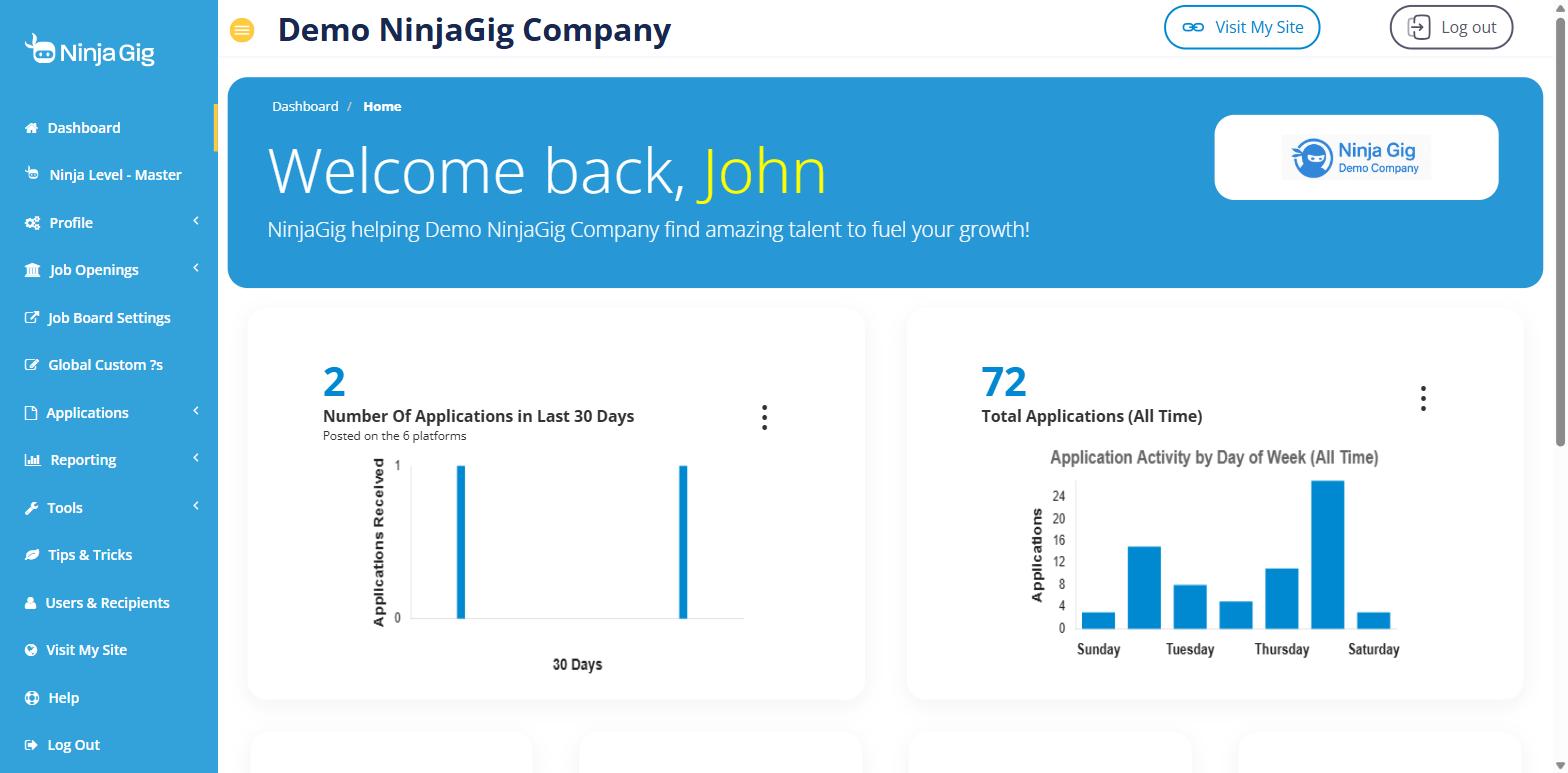
An excellent software tool should have a short learning curve and a great user interface, and Ninja Gig is no different! At first glance, you can easily see where to find key functionalities and you’re taken through a guided onboarding that will help you get started with the basics.
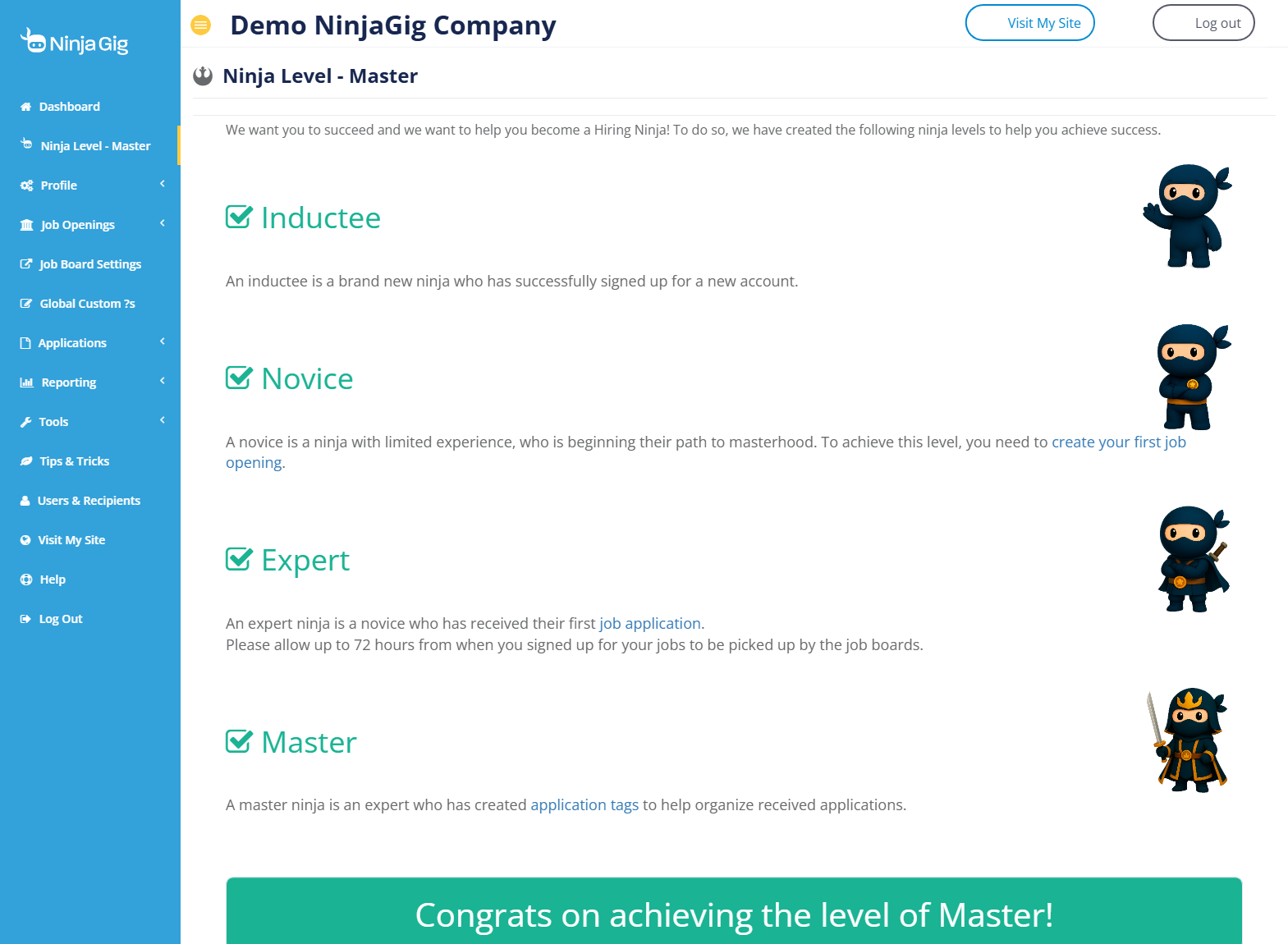
Here are some of their other features, which I really like:
Standout features
1. Simplified job posting & job board syndication
I know you’re thinking that the whole point of an ATS is to post jobs, but the process isn’t always that easy. I’ve found that some ATSs require so many steps before you can just create a simple job advert and post it online, and this is not the case with Ninja Gig.
Once you’ve set up your careers page, you’ll be effortlessly guided through a step-by-step process to create a professional-looking job advert. Having help text to clarify what (and why) each section is needed is great, especially for those who may be first-time job posters.
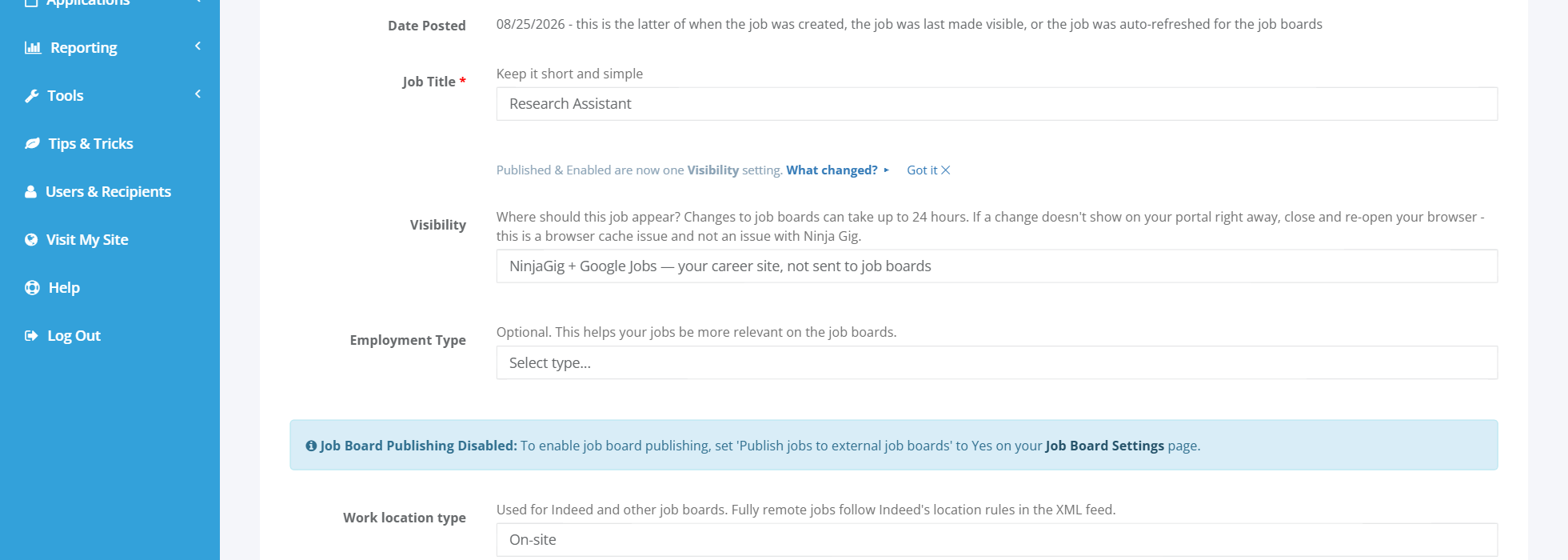
Once you’ve created your job advert, you can view how this will look on your customised and branded careers site before posting, which I really like.
You also have the option to view in Spanish as a preferred language.
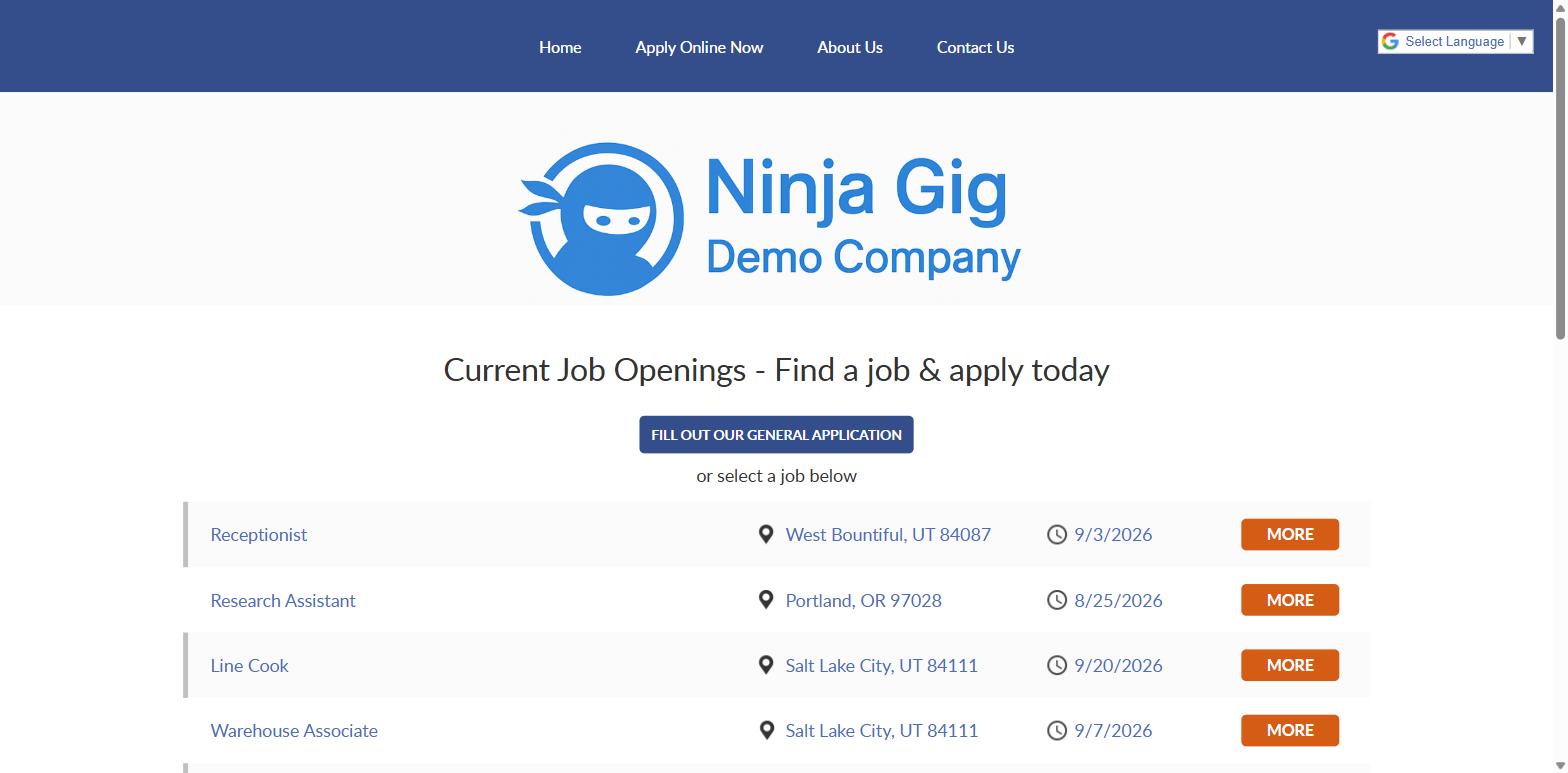
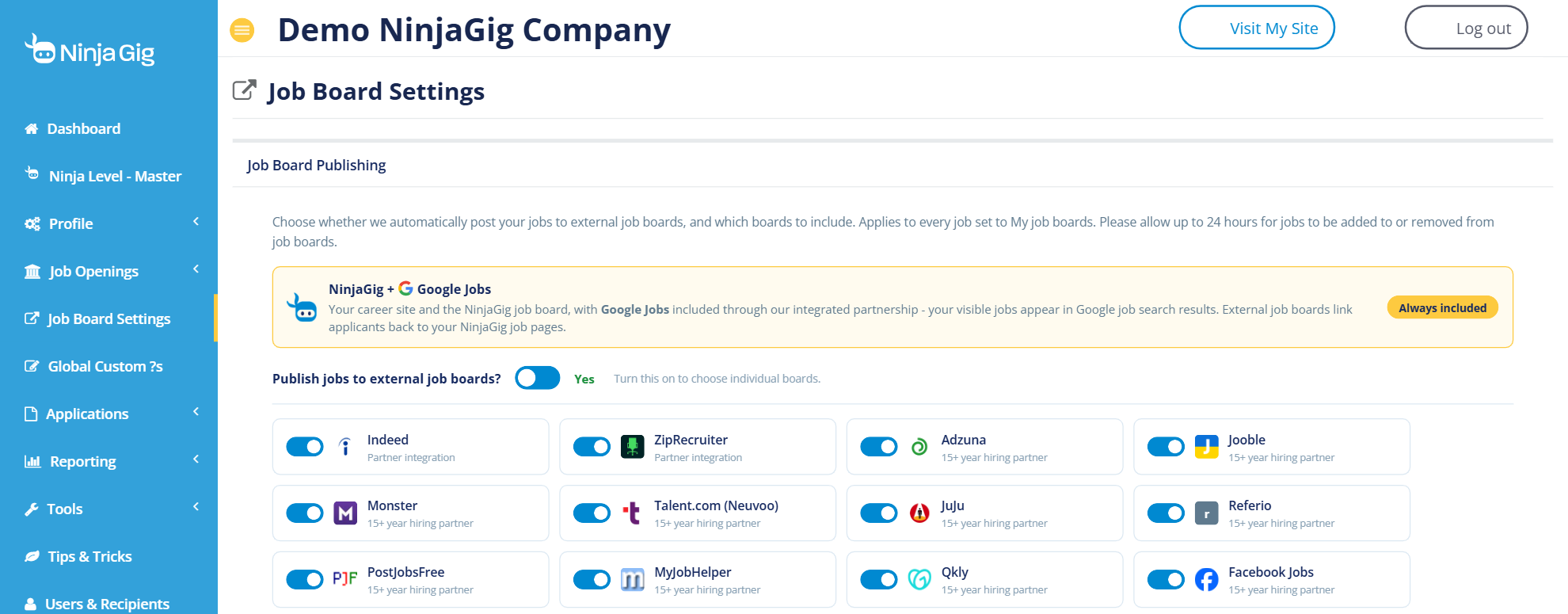
Once you’re satisfied with the layout and content, you can simply and easily post to several job boards. Many of these are free!
As someone who managed recruitment for many years, I can tell you that this can be an excessively time-consuming and expensive process to manage manually.
There are no complex processes to follow, just a simple drop-down selection – I love this kind of simplicity!
2. Application Customization
A great ATS should give you the ability to filter out unsuitable candidates with ease, and application questions form a vital part of this.
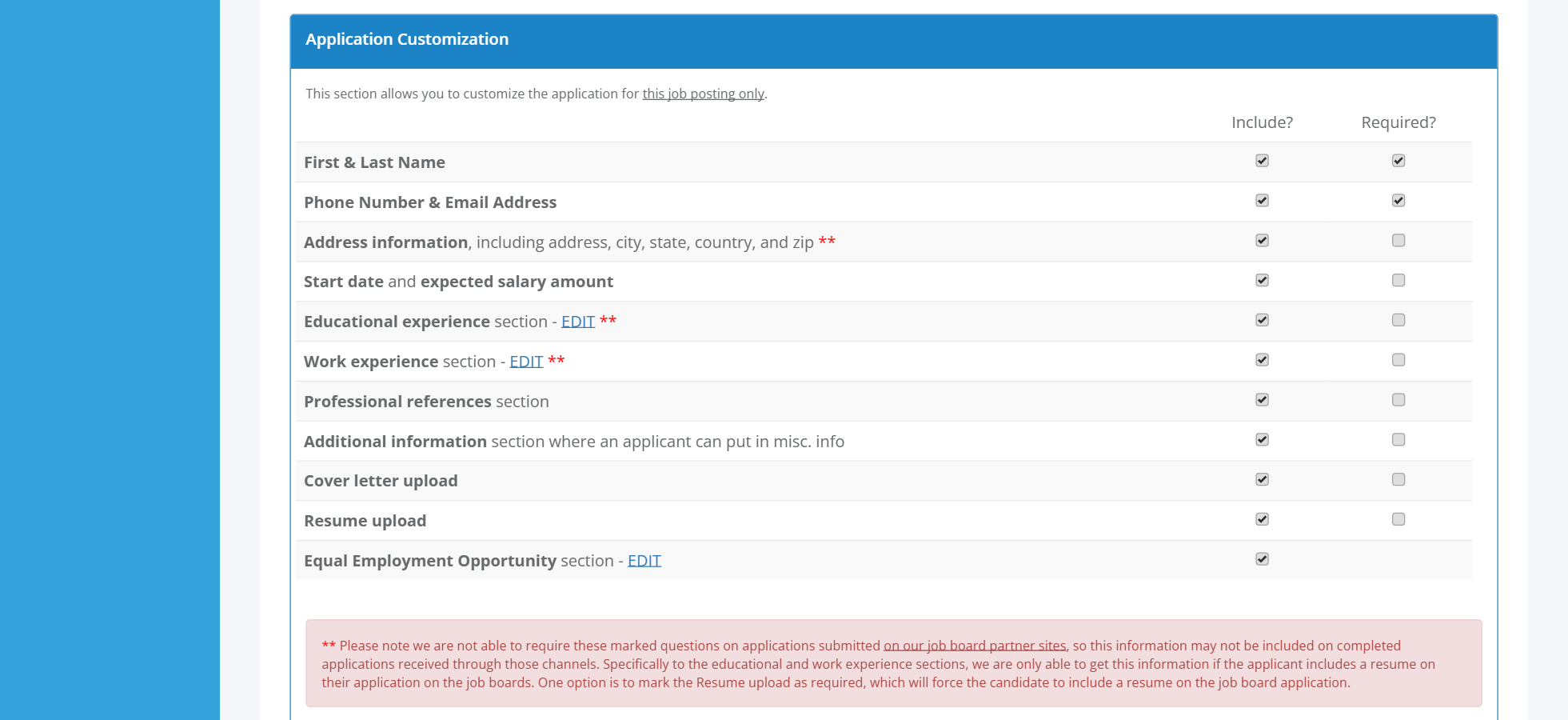
You’ll also want to make sure you capture important general candidate information so that you have accurate personal information to make the hiring and onboarding process easier.
Ninja Gig has a great pre-defined job advert template that includes typical key information that you would typically require from candidates. I love that you can simply select the information needed without having to create these fields every time.
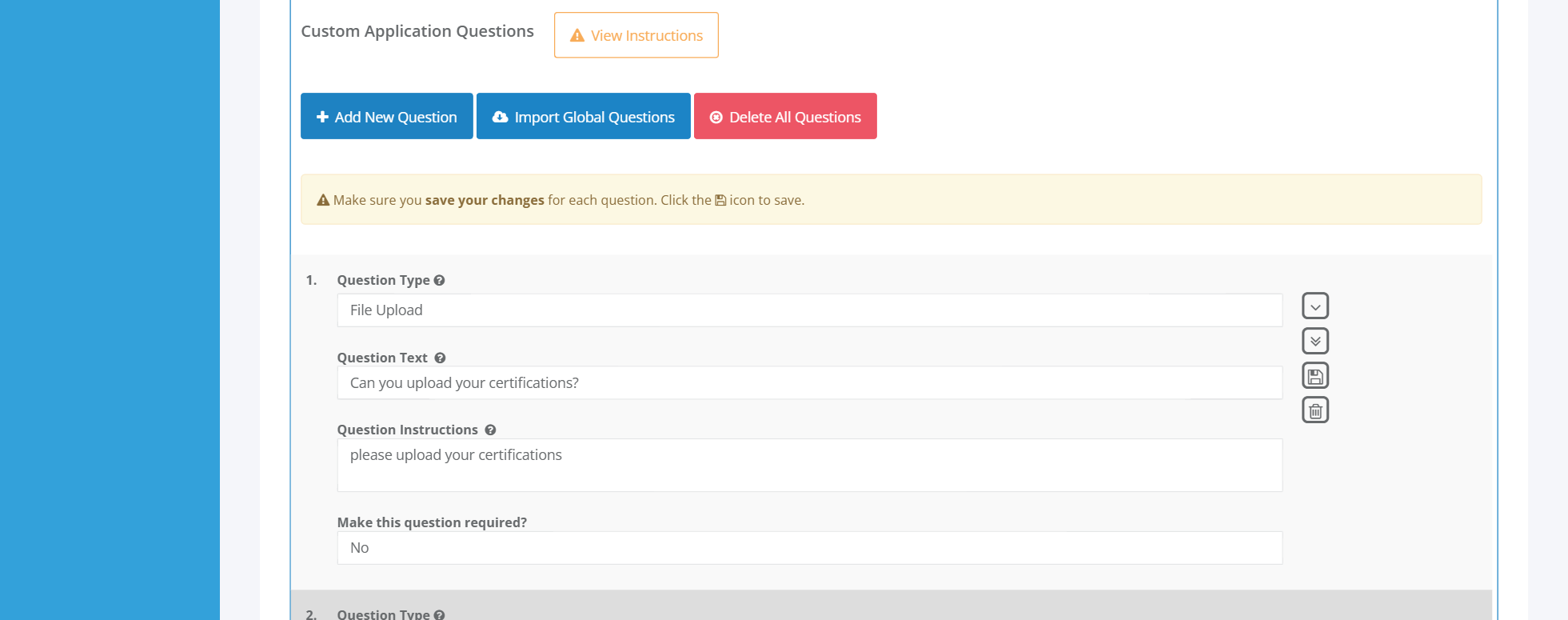
Aside from the general questions, you can create your own application questions, which will help you filter out applicants more easily.
As a recruiter, I like to have the ability to create smartly written application questions that can be reused for specific roles.
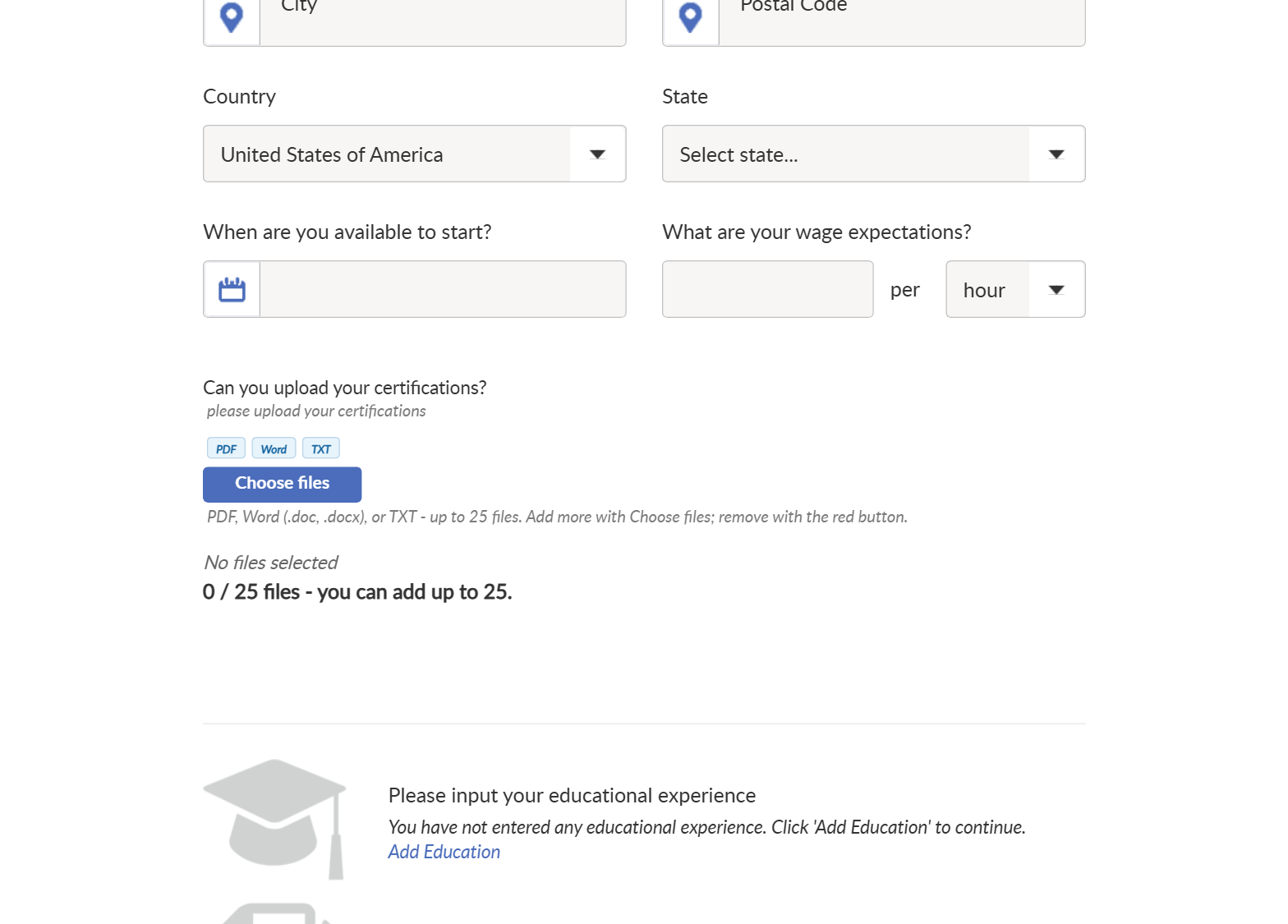
Once these have been added, you can preview how they look and simulate the candidate application experience, which is really important. I like to ensure that the application process is frictionless and that answering application questions is as easy as possible. Having the option to create tick boxes or dropdown options is a great way to achieve both goals.
Ninja Gig Pricing and Features
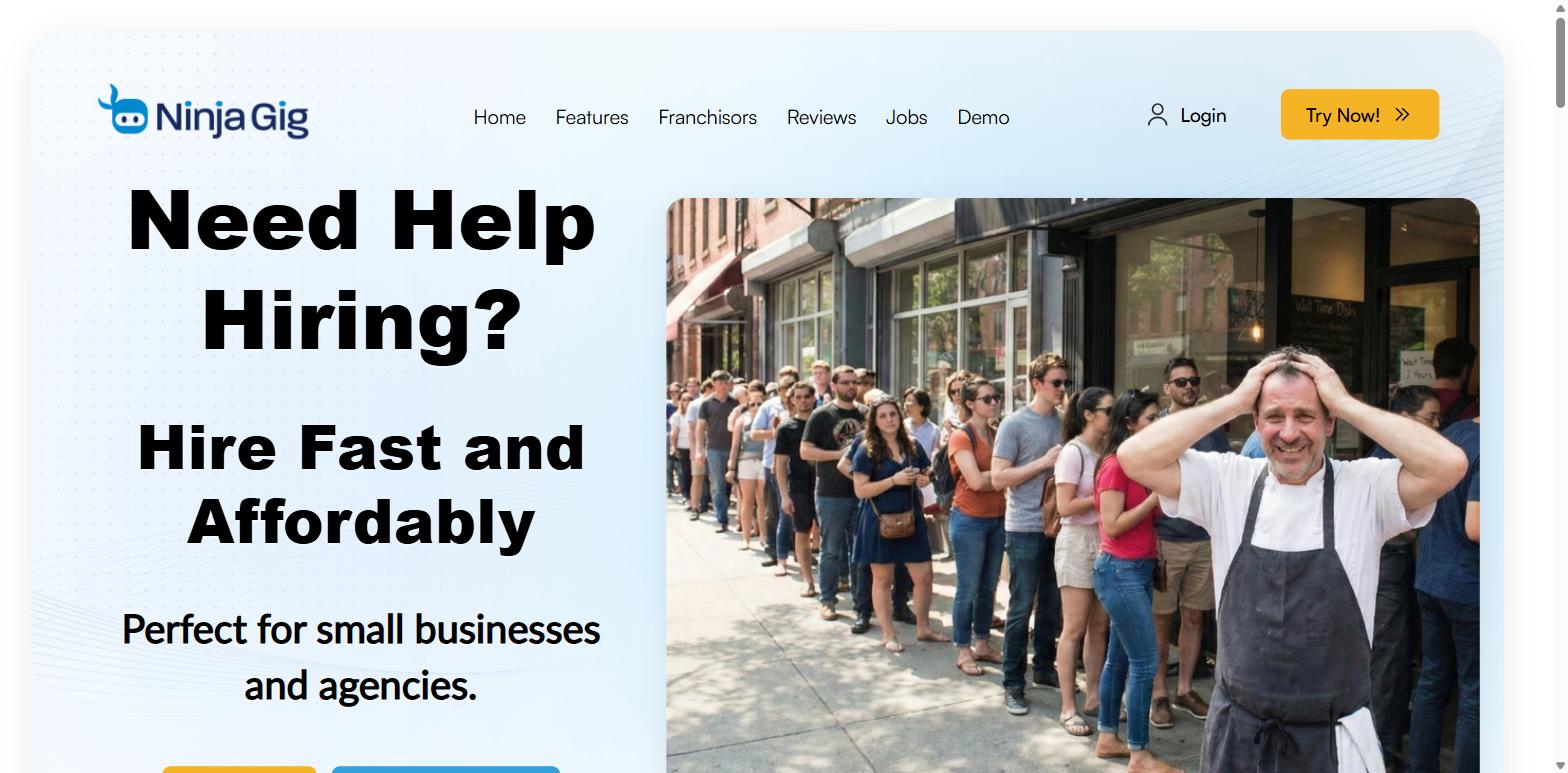
Ninja Gig offers a flat rate structure that includes all features, which makes it ideal for price-sensitive businesses who need to keep costs low without worrying about skyrocketing costs as they scale.
Cost: $49/month – Unlimited use with no hidden fees
Includes:
- Unlimited applications
- Unlimited job postings
- Customizable company careers site
- Job board syndication to 14 job boards, including Indeed, ZipRecruiter, and Monster, all included in the flat monthly price.
- Mobile application
Ninja Gig Pros and Cons:
|
Pros |
Cons |
|---|---|
|
● Cost-effective and no hidden fees ● Unlimited users on the standard pricing plan ● Job board syndication to 14 boards, included in the flat monthly price. ● Easy to use with a short learning curve ● Ideal for bulk recruitment needs ● Mobile app ● Packs a lot of features at this price point ● Has in-app candidate email functionality |
● Reporting can be a bit basic for more advanced requirements ● No automations or bulk candidate management features ● Standalone ATS with no onboarding, time-tracking, payroll, or other features ● Cannot set user permissions for different levels ● No automatic candidate ranking, score cards, or filtering |
More about BreezyHR
BreezyHR is more of an “all-in-one” tool compared to Ninja Gig. They have several functionalities that work alongside the ATS features, such as background checks, interview scheduling, and onboarding.
I love that you can easily manage tasks, meetings, candidates, positions, and interviews all in one place.
At first glance, I found it more overwhelming than expected, and it took some time to get familiar with the system and figure out where everything is.
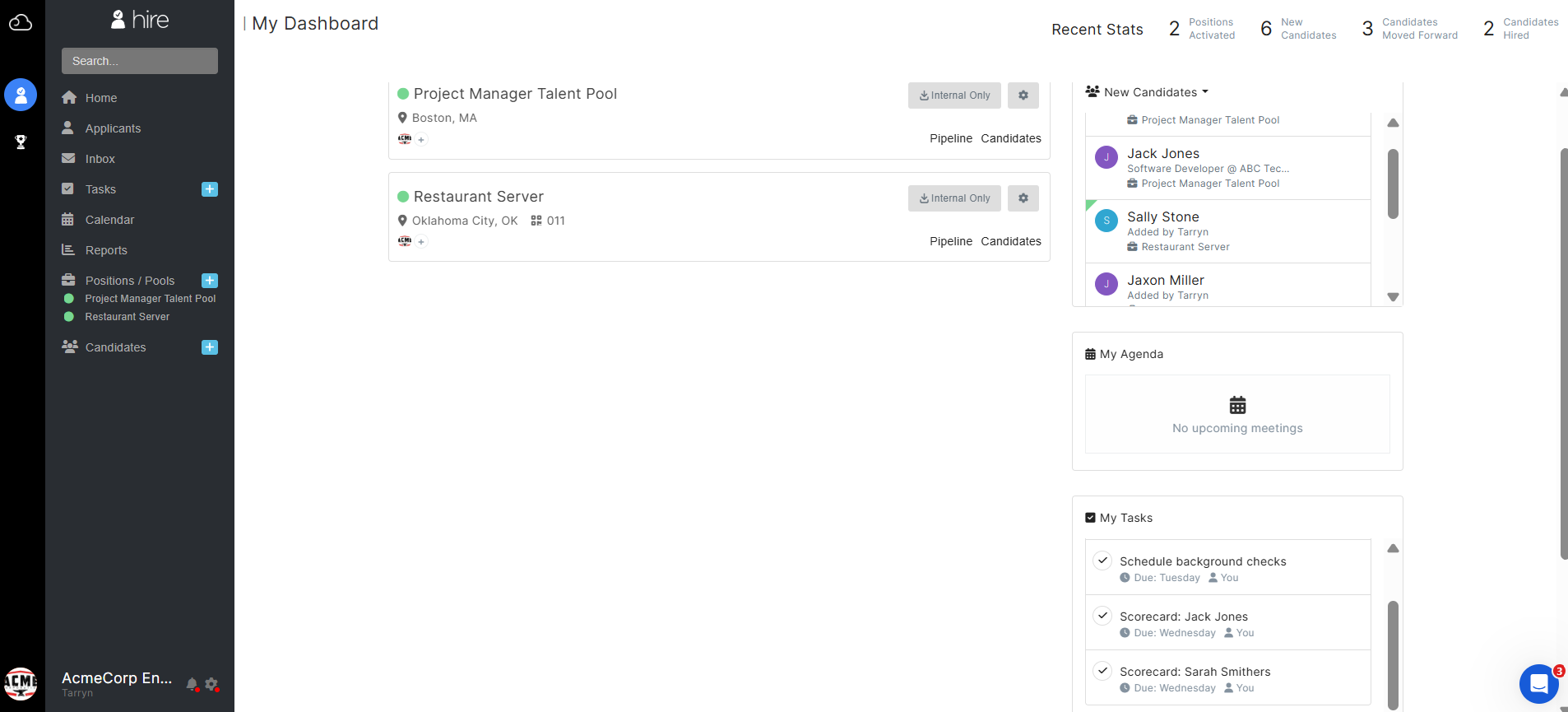
BreezyHR Standout Features:
1. Built-in SMS and email communications
Managing feedback can be really time-consuming, and this is a large admin overhead for most recruiters and HR teams. I like that you can easily send emails, schedule invites, and even send SMSs to candidates.
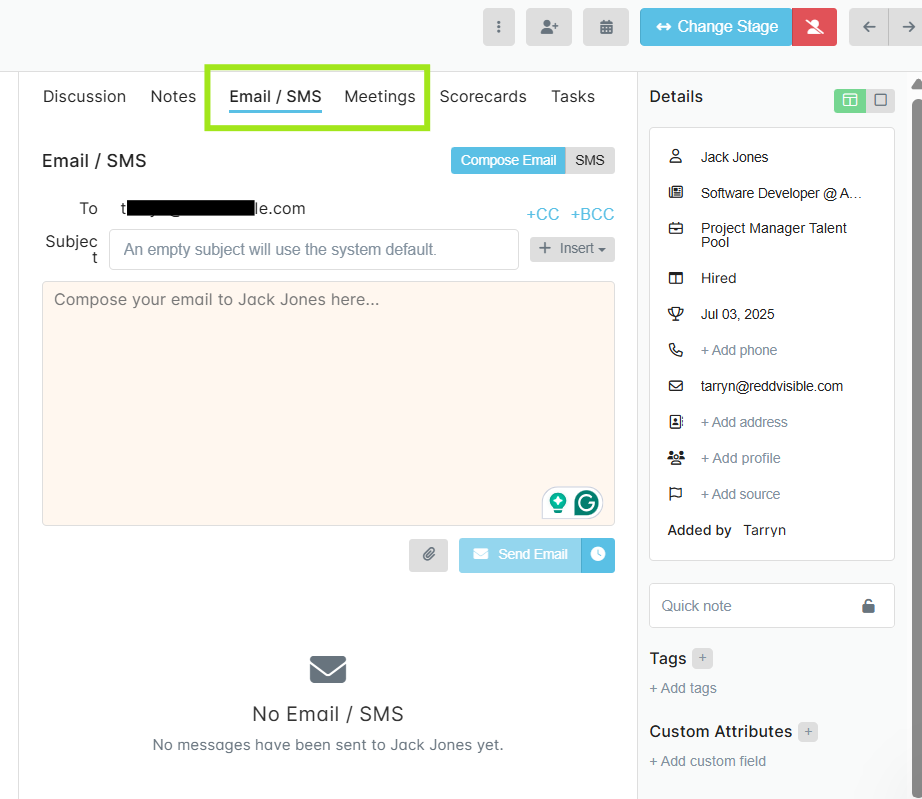
That being said, the SMS functionality is a paid-for add-on; however, this can be really valuable when needing to send quick messages to candidates who may be remote or those who aren’t as email-savvy.
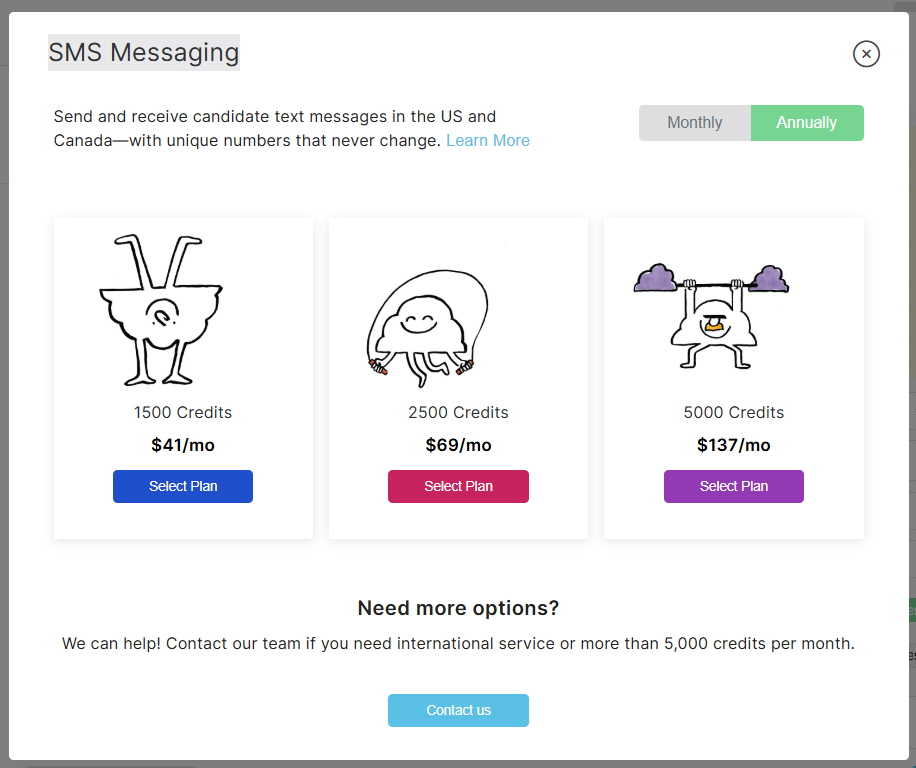
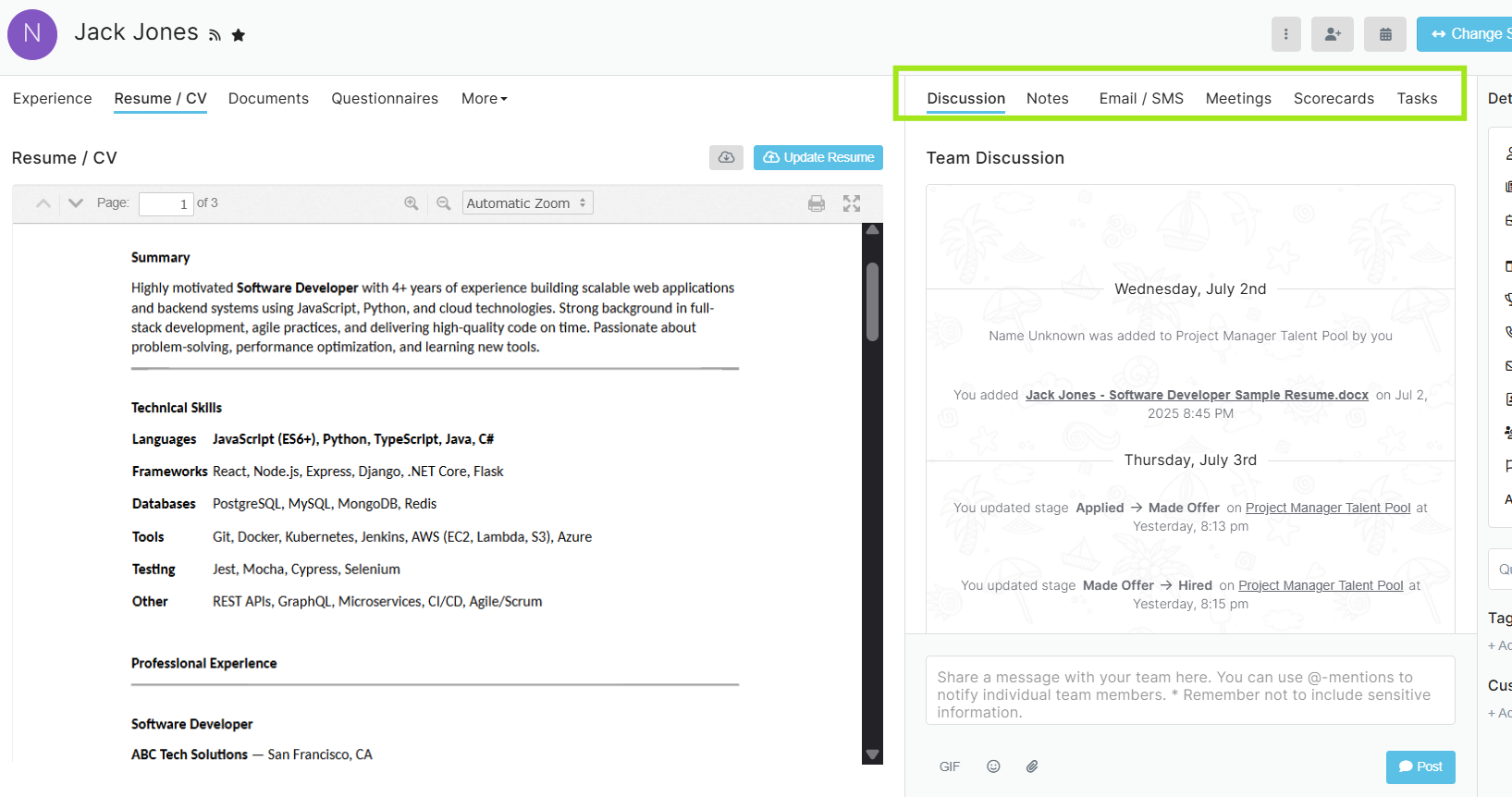
You can view candidate information in a summary view, which I like. With quick views like this, it means you don’t have to download resumes and make updates in separate systems.
From this view, you’ll be able to easily make notes, add scorecards, and create a shared list of notes.
2. In-app candidate assessments and checks
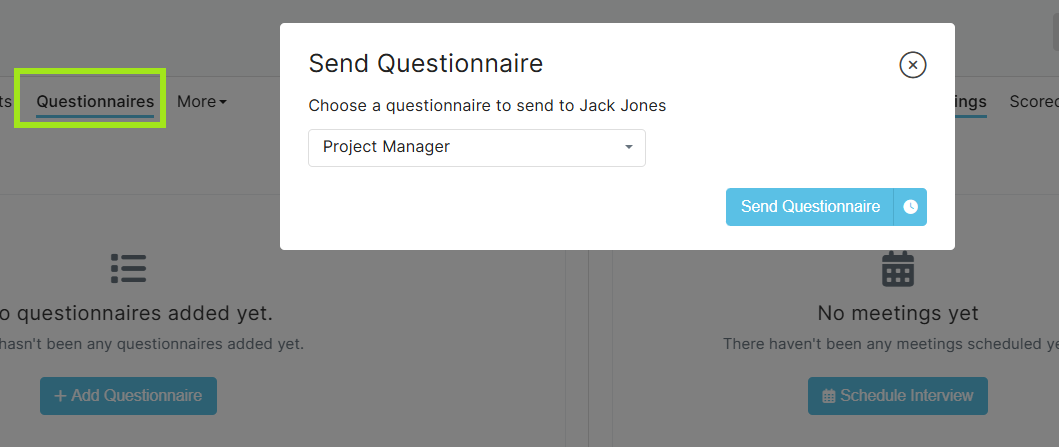
Having the ability to send questionnaires within the app makes it easy to keep track of the statuses of various application processes.
Pre-created questionnaires can be set up according to roles and requirements, which helps you validate the suitability of candidates for the role.
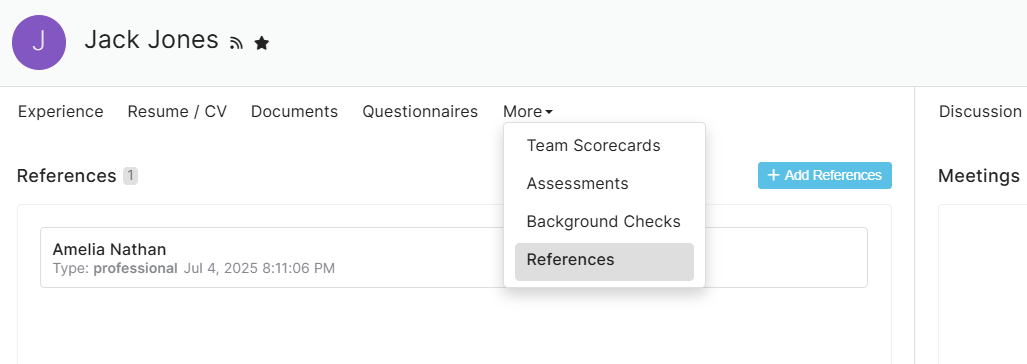
Having a tool that integrates various functionalities into one place is useful. You can run assessments and background checks from within BreezyHR, which is ideal if this is a requirement for most of your roles. These are paid-for, though, but I like that the integration is already set up for future needs.
You can request references and score cards here, too, making it a great way to avoid duplication and disparate information across multiple platforms.
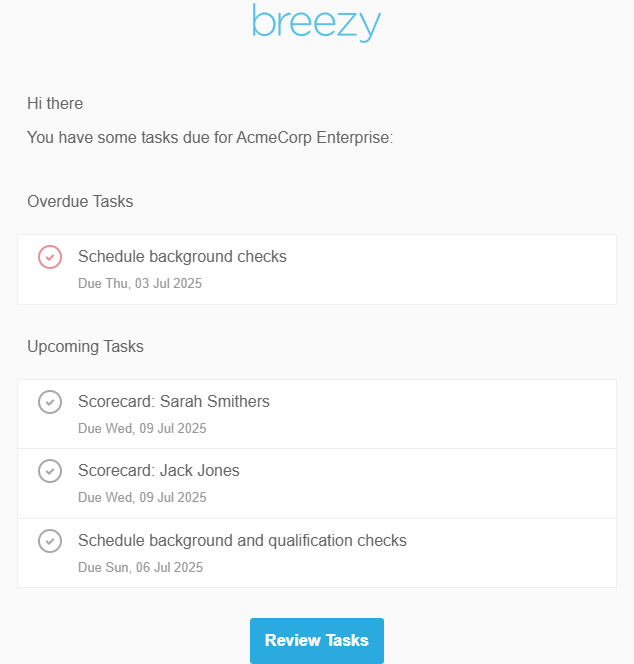
With BreezyHR, I found scheduling interviews really intuitive, and they’ve gone a long way to ensure that you don’t miss important information. You’re also sent email reminders for meetings and tasks, which is a nice value add when you have a full diary!
You can select time zones and different video interview options such as Teams, Google Meet, or Zoom, making it simple to set up without having to use a separate calendar function within Gmail or Outlook.
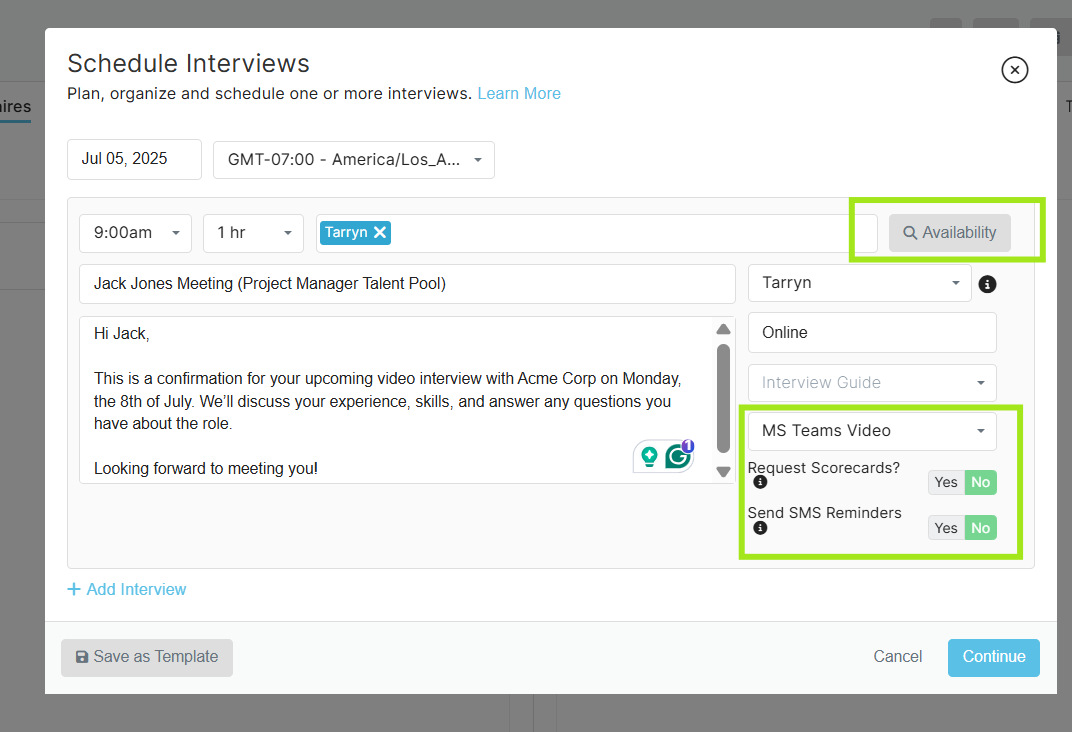
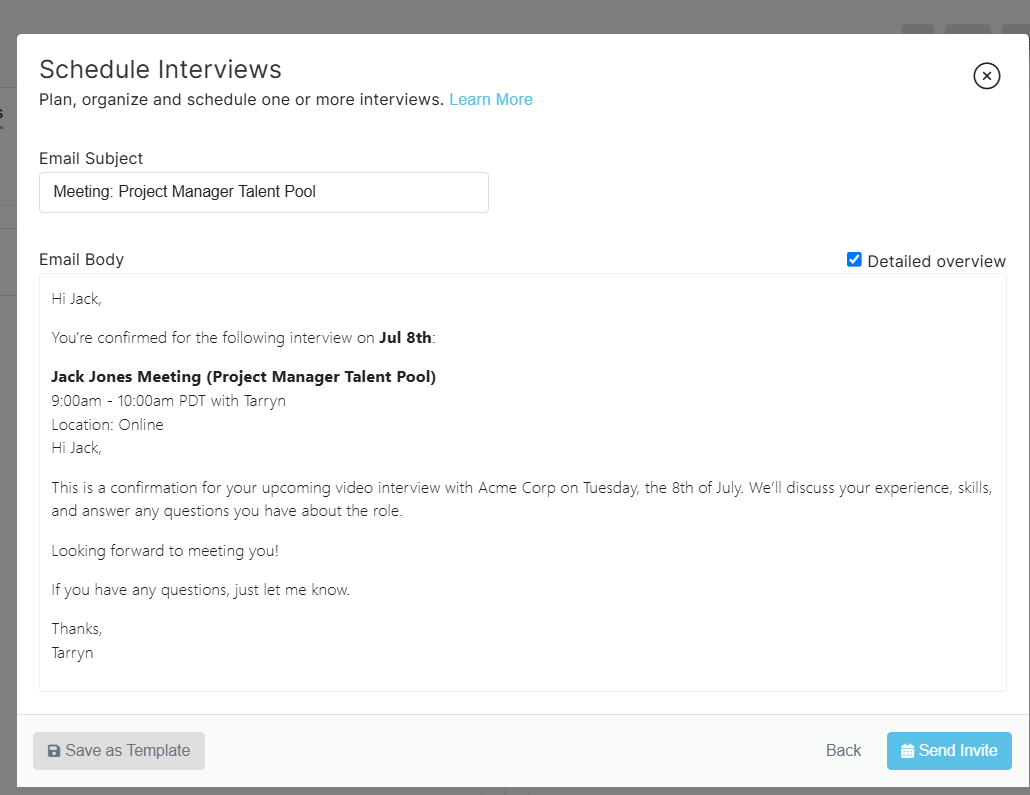
You can also preview the invite before you send, which is a plus when you’re scheduling multiple interviews within a day and want to check the layout and details to ensure you’ve created professional invites.
BreezyHR Pricing
BreezyHR offers three tiers and a custom plan. The prices indicated below are based on the monthly plans; however, annual commitments have a slightly reduced monthly cost.
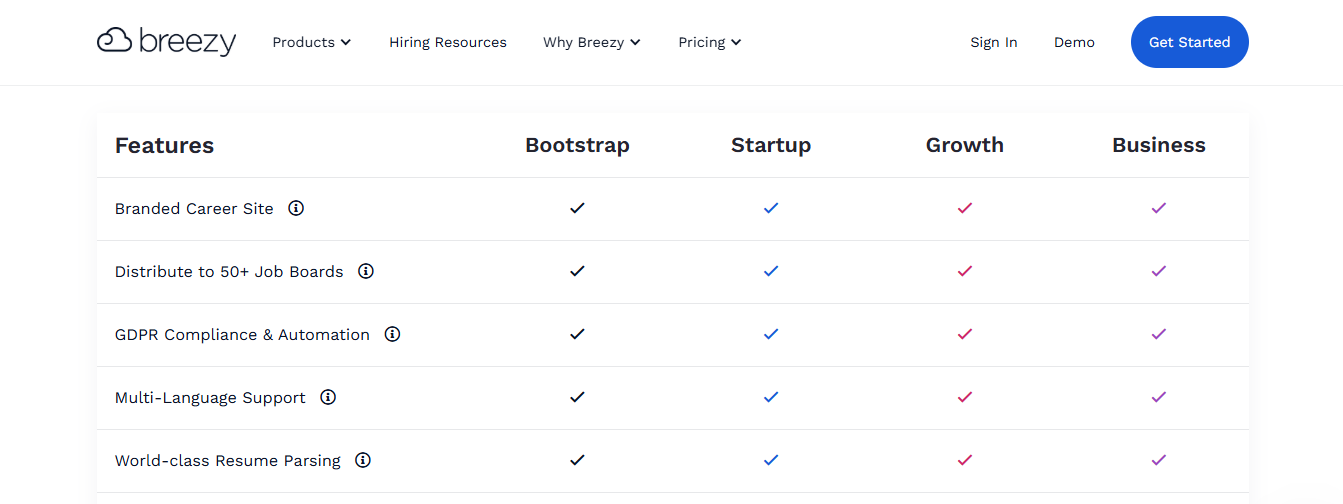
Here’s a quick overview of what features are included:
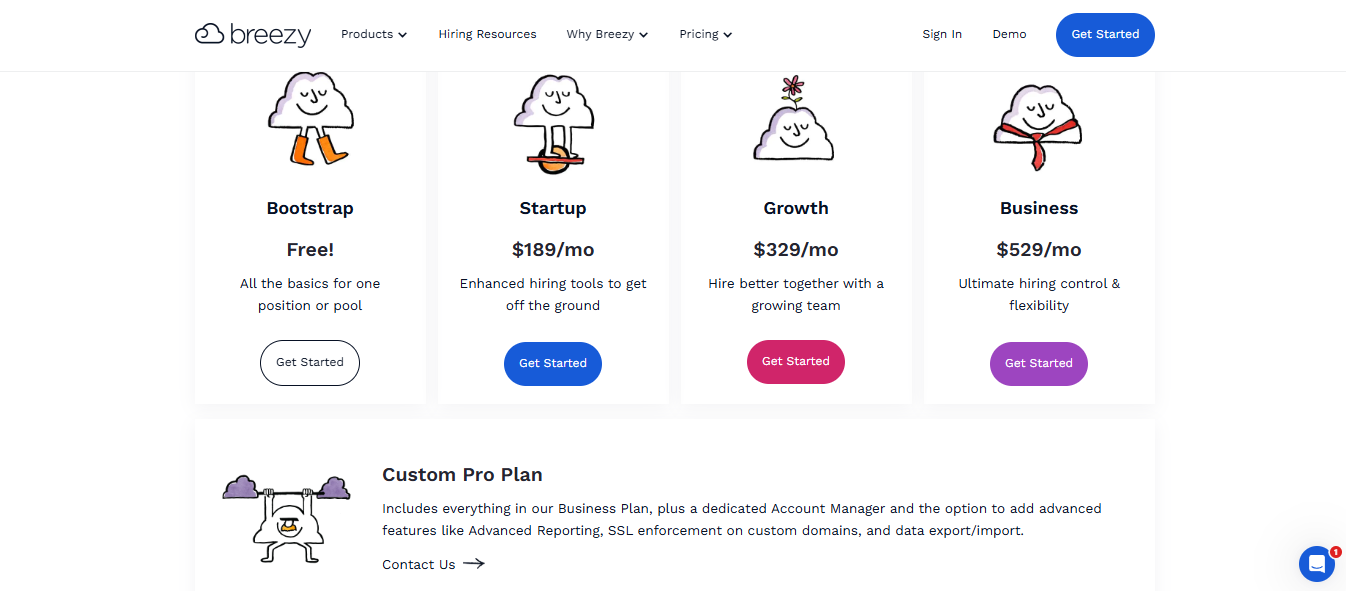
1. Bootstrap
Best for small teams is free!
This includes only basic functionality within the app.
2. Basics
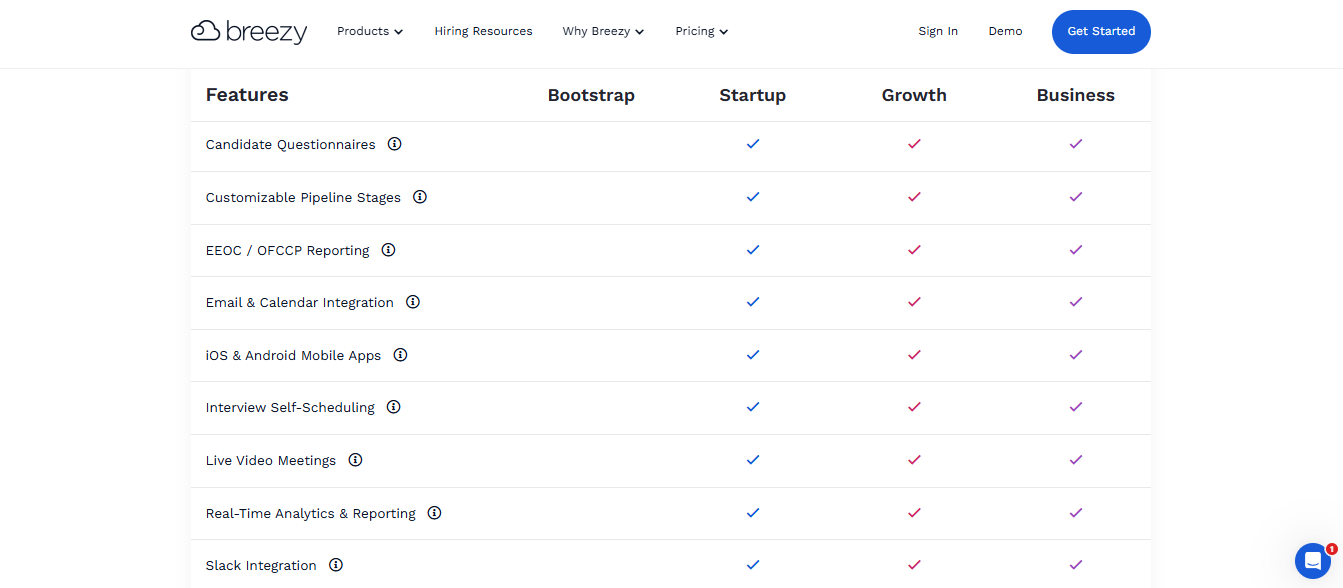
Best for scale-ups and organizations with more advanced needs, starts at $189/month.
You’ll have access to unlimited users, candidates, positions, video assessments, and more.
3. Growth
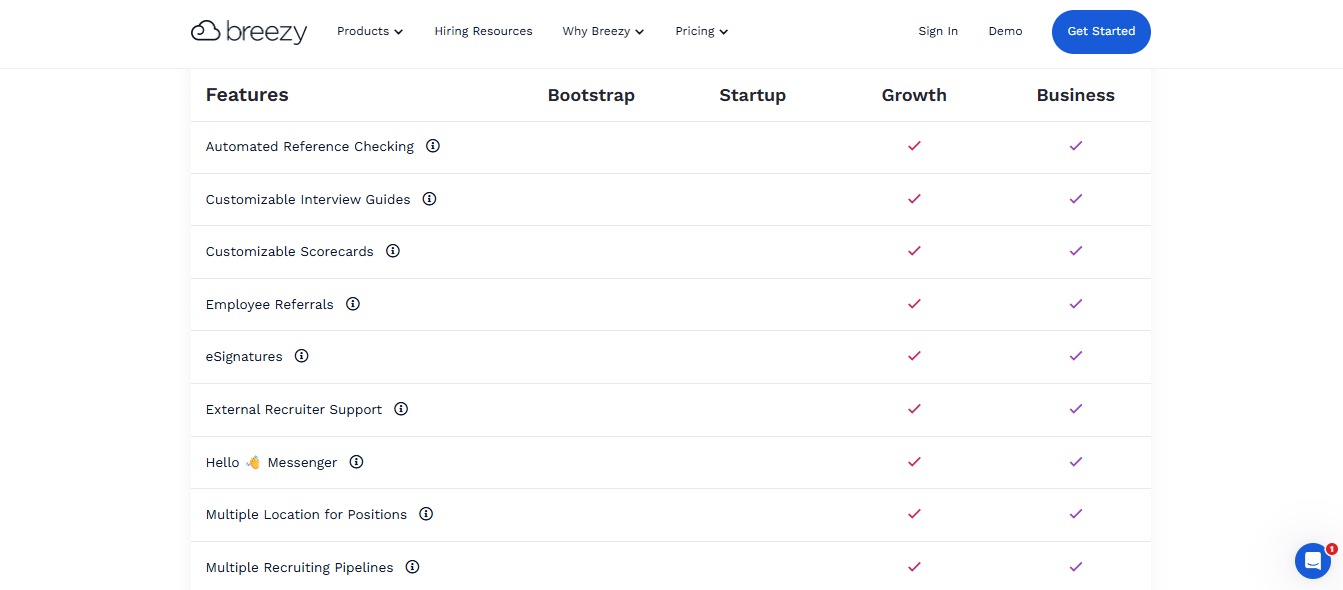
An excellent plan for scaling businesses that need access to more features. This plan starts at $329/month.
The Growth plan includes everything in the basics, plus automated reference checking, e-signatures, customizable scorecards, and more.
4. Business
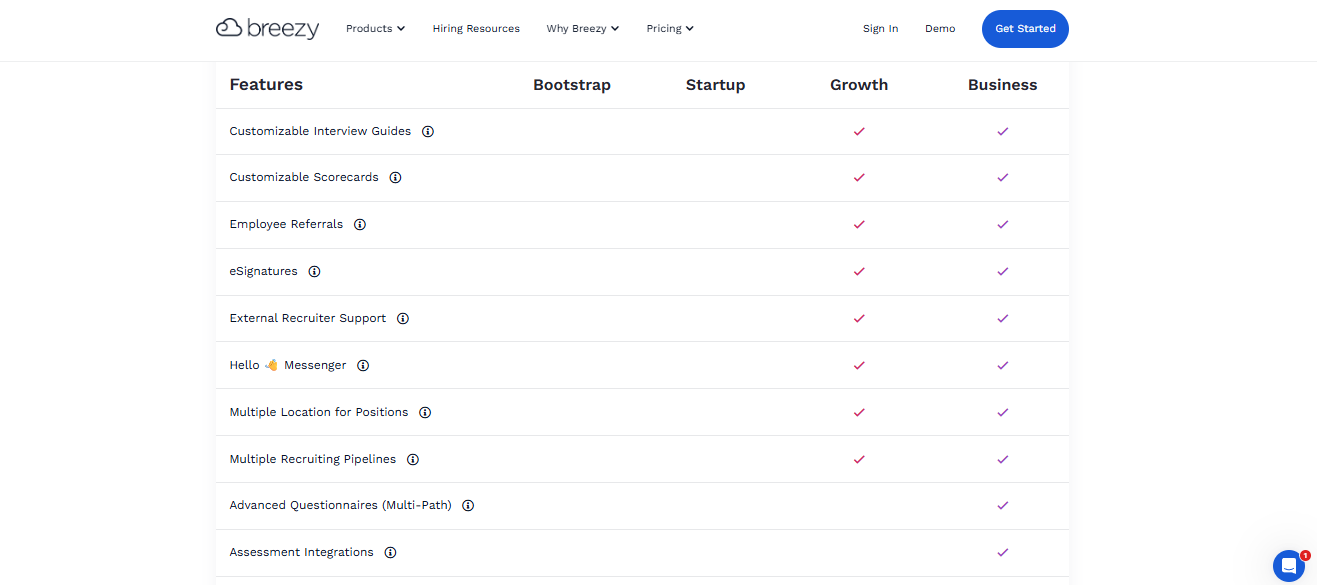
Starting at $529/month. The business plan is best for enterprise-level organizations that require more flexibility and unlimited hiring needs. You’ll have access to everything in Growth, plus additional features like advanced questionnaires, assessment integrations, HRIS integrations, and priority customer support.
5. Custom pro plan
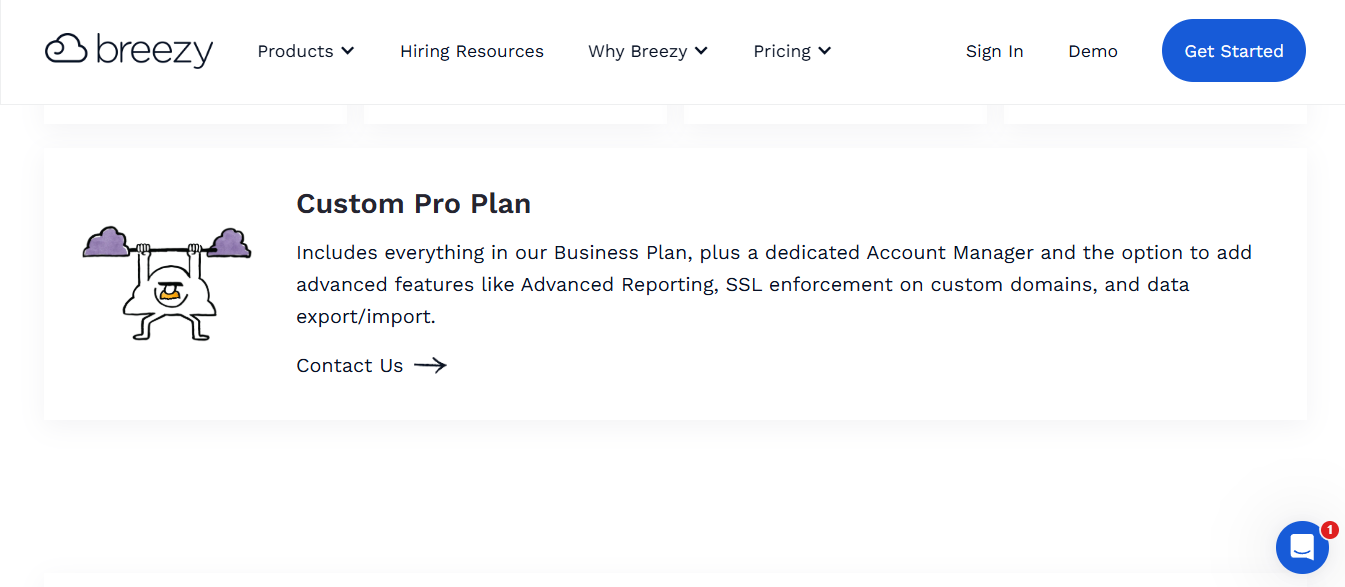
Custom pricing is available upon demo request. This plan is best for larger organizations that have bespoke requirements.
You’ll have access to everything in the Business plan with the addition of advanced reporting, data export and import capabilities, SSL enforcement on custom domains, and a dedicated Account Manager.
BreezyHR Pros and Cons:
|
Pros |
Cons |
|---|---|
|
● Guided onboarding and quick setup ● Advanced customization capabilities ● Unlimited users, positions, and candidates on paid plans. ● Advanced reporting capabilities ● Easy in-app candidate communications ● Integrated interview scheduling, assessments, background checks, and more. |
● It can be a little glitchy when setting up meetings and interviews. ● Dashboards and calendars take time to reflect updates and don’t show real-time information. ● The higher-tiered plans can become expensive quickly if you need to use additional features and capabilities.
|
Ninja Gig vs BreezyHR: Which is the right ATS for you?
Whichever ATS you decide to choose, it’s vital first to assess your business and recruitment needs.
While some businesses require a more complex and in-depth ATS, others may need something more affordable and straightforward, especially if they have basic hiring needs.
I always recommend asking for a demo before you commit. It gives you a good idea of how the software works and what to expect from the features they have.
In summary, if you’re looking at a super affordable ATS that is easy to use and gives you an easy way to manage bulk and straightforward recruitment needs, I’d recommend looking at Ninja Gig. It’s also an excellent choice for agency recruitment as you can easily create templates for jobs with advanced, customised application questions and send them out to 14 integrated job boards for one flat monthly price.
If you have more complex recruitment and HR needs, consider looking at BreezyHR. It’s a bit more expensive than Ninja Gig, but it will give you more advanced capabilities such as scheduling, resume parsing, reminders, and add-ons such as SMS and performance management tools. It’s a great fit for medium-sized businesses that have more advanced needs and can afford the add-ons to help them handle performance management, goal setting, and more.