
Managing recruitment effectively makes the difference between landing top talent and watching great candidates slip through your fingers. While many businesses start tracking candidate data in Excel recruiting spreadsheets, there comes a point when manual processes become a liability, and an applicant tracking system (ATS) is needed. This comparison between an applicant tracking system vs Excel will help you determine which approach fits your hiring needs, whether you’re a startup making your first hire or a growing company processing hundreds of applications monthly.
An applicant tracking system explained simply: it’s purpose-built hiring process software that automates recruitment from job posting to offer letter. Excel, meanwhile, remains a general-purpose spreadsheet that requires manual work at every step. Understanding these fundamental differences will help you make an informed decision about your recruitment infrastructure.
1. What Is an Applicant Tracking System?
What is an ATS exactly? An applicant tracking system serves as your recruitment command center, automating and organizing every aspect of the hiring process. Unlike generic tools, Applicant Tracking System features are specifically designed for recruitment workflows.
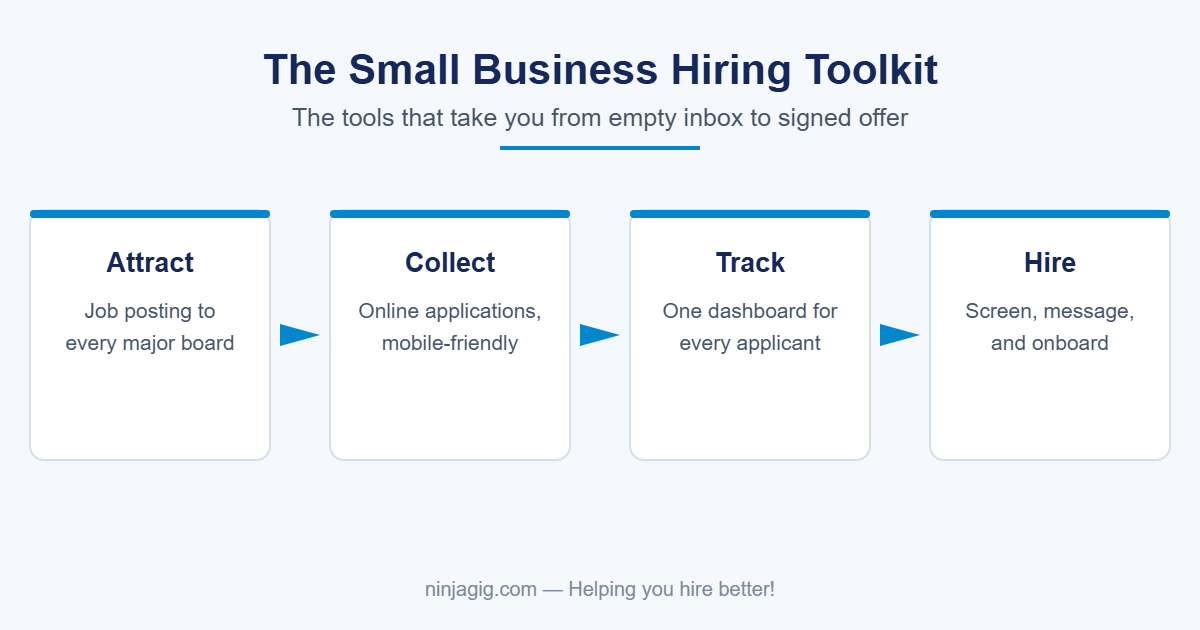
The ATS software definition encompasses several core functions. First, it centralizes all candidate data into a single searchable database. Second, it automates time-consuming tasks in the recruitment process, such as parsing resumes from the candidate pool, email communication, and interview scheduling. Third, it provides pipeline visibility so every stakeholder knows exactly where each candidate stands in the process.
Modern recruitment automation tools typically offer cloud-based deployment, making the specialized tools accessible from anywhere while ensuring data security. Some organizations still use on-premise solutions for compliance reasons, but cloud ATS platforms dominate the market due to their scalability and lower upfront costs. These systems integrate with job boards, career sites, and other HR tools to create a seamless hiring ecosystem and increase the job’s visibility among job seekers.
2. Why Small Teams Default to Excel for Hiring
Recruiting with Excel remains common among small businesses for understandable reasons. First, it’s already installed on most computers, making it essentially free applicant tracking for cash-strapped startups. Second, everyone is familiar with using spreadsheets, eliminating the need for training.
Hiring spreadsheets can be sufficient for companies making one or two hires annually. You create columns for candidate names, contact information, interview dates, and notes. The manual recruiting process feels manageable when you only track a handful of applicants.
This approach works until it doesn’t. What starts as a simple spreadsheet quickly evolves into a complex maze of tabs, formulas, and color-coding schemes that only one person understands. However, for businesses in survival mode, the immediate cost savings of Excel often outweigh these future headaches. The familiarity factor cannot be overstated, as hiring managers already juggling multiple responsibilities gravitate toward tools they know rather than learning new software.
3. Limitations of Excel in Recruitment
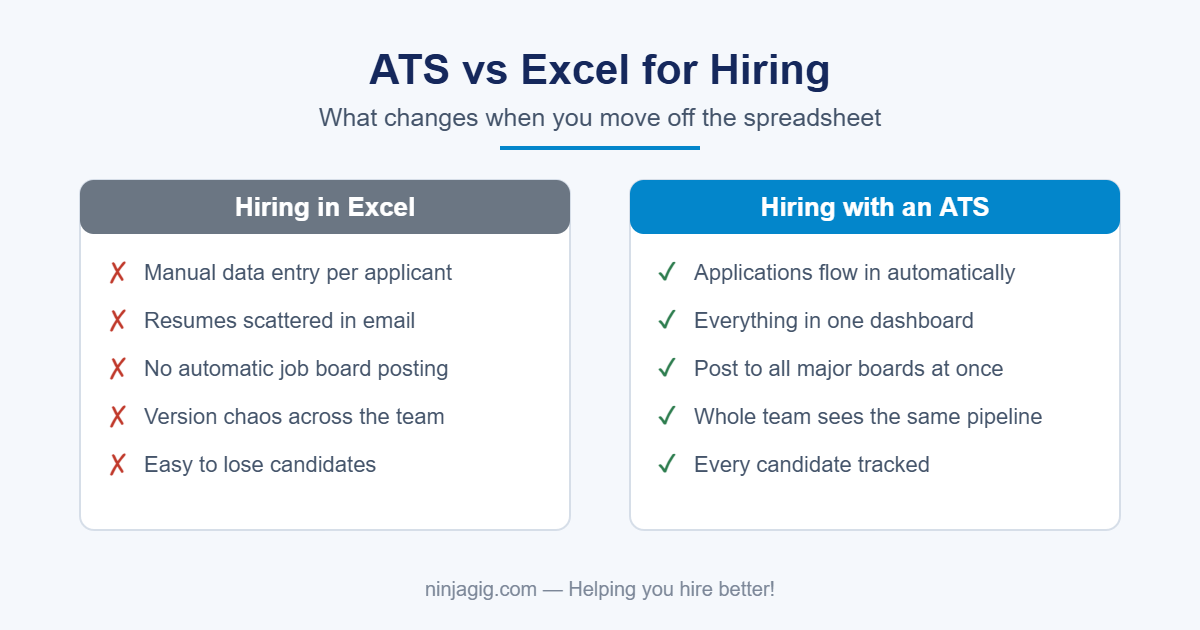
Excel recruiting limitations become painfully apparent as hiring volume increases. Manual data entry consumes hours that could be spent actually talking to candidates. Copy-paste errors lead to embarrassing mistakes, such as sending rejection emails to the wrong person or losing track of promising applicants entirely.
The lack of automation creates cascading problems. Without automated reminders, interviews get forgotten. Without status tracking, candidates languish in limbo. Without standardized communication templates, every email becomes a time-consuming custom creation. Spreadsheet hiring risks multiply with each additional recruiter accessing the file.
Version control turns into a nightmare when multiple people edit the spreadsheet. “Final_FINAL_v3_Bob ‘s_edits.xlsx” becomes the norm, and nobody knows which version contains the latest information. Recruiting compliance challenges arise because Excel lacks an audit trail showing who changed what and when. Equal Employment Opportunity Commission (EEOC) requirements become difficult to track and prove.
Data security in HR represents the biggest risk. Spreadsheets containing sensitive personal information sit unencrypted on laptops, get emailed around, and are shared through insecure channels. One lost laptop or compromised email account could expose the personal data of hundreds of candidates, creating legal liability and reputational damage.
Collaboration suffers when team members can’t see real-time updates. Hiring managers’ email feedback gets buried in inboxes. Recruiters duplicate efforts because they can’t see what colleagues have already done. The entire process becomes a game of telephone, with critical information lost at each handoff.
4. How an ATS Works: Features & Automations
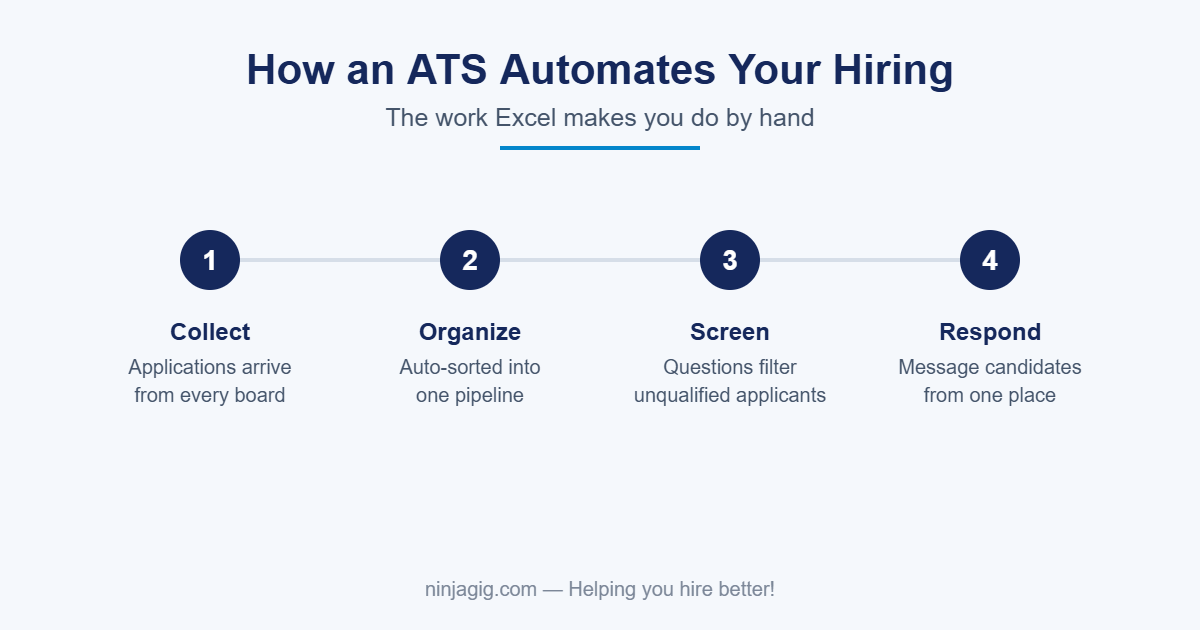
Understanding the ATS workflow reveals why purpose-built ATS software outperforms spreadsheets. Modern systems begin with automated resume parsing that extracts relevant information and instantly populates candidate profiles. This recruitment automation eliminates hours of manual data entry while improving accuracy.
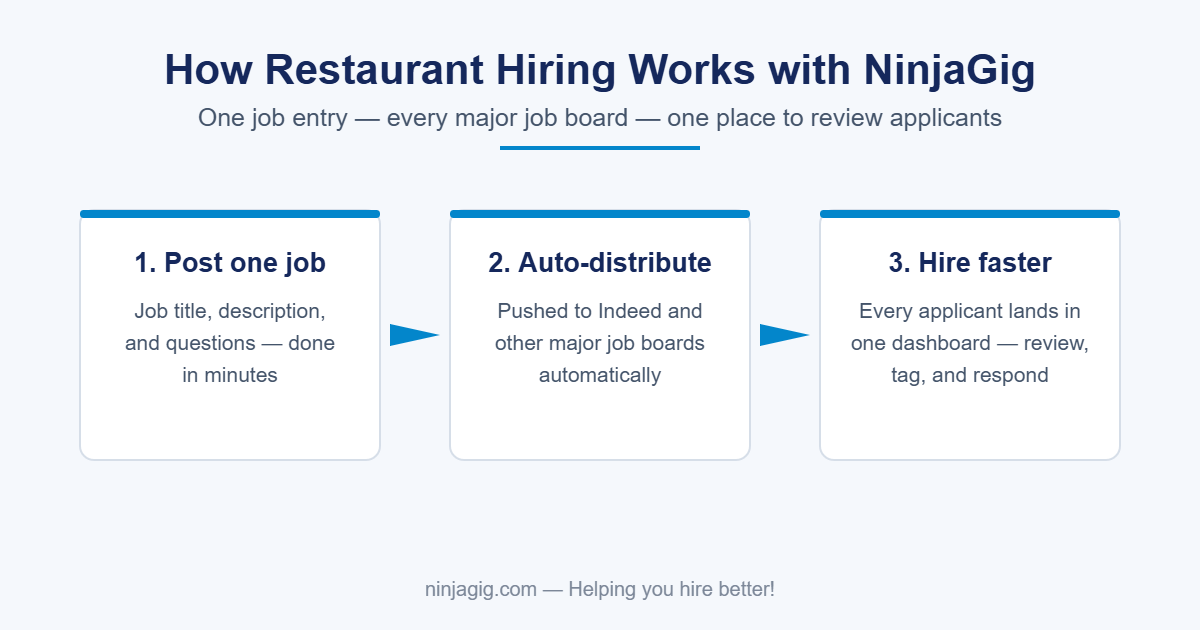
Multi-channel job posting represents another key efficiency gain. Post once, and your opening appears across dozens of job boards, your career site, and social media channels. The system tracks which sources deliver quality candidates, optimizing your recruitment marketing spend.
Interview scheduling software integrated within the ATS eliminates the back-and-forth email dance. Candidates select from available time slots, calendar invites go out automatically, and reminder emails ensure everyone shows up prepared. Some systems even include video interviewing capabilities for remote screening.
Team collaboration and shared access features transform hiring from a solo sport to a team effort. Interviewers submit standardized scorecards immediately after meetings. Feedback stays attached to candidate profiles rather than scattered across email threads. Meanwhile, @mentions and task assignments ensure that nothing falls through the cracks.
The hiring analytics dashboard provides insights that are impossible to extract from Excel. Track time-to-hire by position, source quality metrics, bottlenecks in your process, and diversity statistics. These data points drive continuous improvement in your recruitment strategy and avoid wasted time. Pipeline reports show how many candidates sit at each stage, helping predict when the right people will fill positions.
5. Feature Comparison: ATS vs Excel at a Glance
The ATS vs spreadsheet comparison reveals stark differences in capability. Data management exemplifies this gap: an ATS maintains a centralized, searchable database that permanently stores all candidate information. Excel forces you to manage disconnected files that quickly become outdated.
Automation represents the clearest differentiator. An ATS automates job posting, resume screening, email communications, and interview scheduling. Excel requires manual execution of every task, from copying resume data to sending calendar invites.
Collaboration in an ATS occurs in real time, with role-based permissions and activity tracking. Excel collaboration means emailing files back and forth, managing version conflicts, and hoping everyone has the latest copy. This Excel alternative for hiring transforms teamwork.
Compliance features built into ATS platforms include EEO compliance tracking, data retention policies, and audit logs. Excel offers none of these protections, leaving organizations vulnerable to discrimination claims or data breaches.
When creating an HR software comparison chart, scalability emerges as the final key difference. An ATS handles one candidate or ten thousand with equal ease. Excel spreadsheets become unwieldy beyond a few dozen rows, with performance degrading as data accumulates.
6. Cost Analysis & ROI Breakdown
Understanding ATS cost requires looking beyond the sticker price to the total value delivered. While Excel appears free, the hidden costs add up quickly. Calculate the hours spent on manual data entry, multiply by your hourly rate, and the “free” spreadsheet suddenly looks expensive.
Recruiting ROI calculations should factor in faster time-to-fill. If an ATS reduces your average hiring time from 45 to 20 days, that’s 25 days less of lost productivity, overtime costs, or revenue impact from unfilled positions. For a $75,000 position, that time savings alone could be worth thousands.
Use a cost-per-hire calculator to quantify efficiency gains. Include reduced job board spending (better tracking means less spray-and-pray posting), lower agency fees (better internal processes reduce external recruiting needs), and decreased administrative time. Most organizations see ROI within 6-12 months.
HR software pricing varies widely, from $50/month for basic systems to thousands for enterprise platforms. But even premium ATS costs pale compared to a single bad hire or a discrimination lawsuit. Factor in the price of employer brand damage from poor candidate experience. Candidates abandon applications that take too long, directly impacting your ability to attract talent.
What NinjaGig Customers Say
Real feedback from small businesses that made the switch — more on our reviews page:
“‘Easy to use and simple to manage’ is the best way I can describe Ninja Gig. It is a tool that actually works, is intuitive, and does not break the bank. I really do love it.”
— Mark, Buck Company
“NinjaGig has been the perfect answer to our needs. It is very easy to set up and customize. We run a summer school program so we appreciate being able to ‘turn it off’ when our hiring is complete. Customer service has been outstanding.”
— Sue, Flintridge
8. When Does It Make Sense to Upgrade?
Recognizing when to buy an ATS requires an honest assessment of your current pain points. If you’re losing track of candidates, spending hours on administrative tasks, or hearing complaints about your hiring process, it’s time to evaluate options.
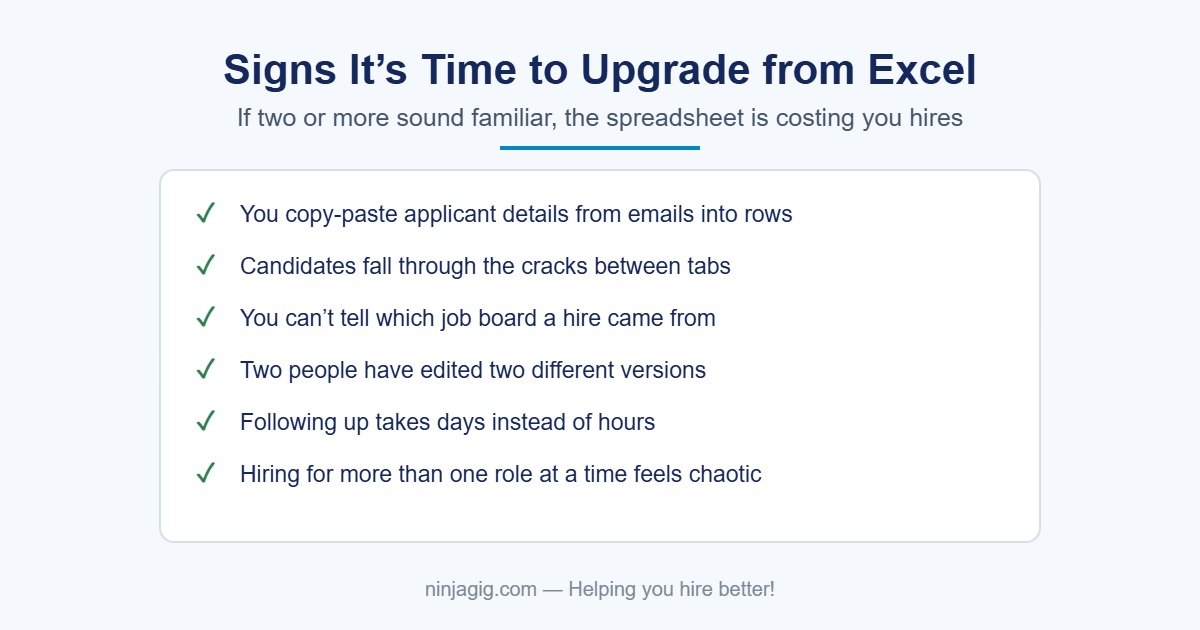
Signs you’ve outgrown Excel include: multiple people needing simultaneous access to candidate data, difficulty generating basic hiring reports, compliance concerns about data storage, or any instance where a great candidate slipped through the cracks due to process failures.
Volume thresholds vary by industry, but most organizations benefit from an ATS when hiring more than 10 people annually or managing more than 50 active candidates at once. Companies in regulated industries or government contractors often need ATS capabilities regardless of volume for compliance reasons.
The scaling of the recruitment process becomes critical during growth spurts. If you’ve raised funding, landed a major contract, or plan to double headcount, implement an ATS before the hiring surge hits. Building infrastructure during calm periods prevents chaos during critical growth phases.
9. How to Choose the Right ATS for Your Business
Selecting the best ATS for small businesses starts with defining your must-have versus nice-to-have features. Essential capabilities typically include: resume parsing, job board posting, basic workflow automation, and collaborative hiring tools. Advanced features like AI screening or video interviewing can wait.
Apply rigorous ATS selection criteria, including ease of use (will your team actually adopt it?), customer support quality (critical during implementation), pricing transparency (watch for hidden fees), and mobile accessibility (modern recruiting happens everywhere).
HR software integrations matter more than most buyers initially realize. Ensure your ATS plays nicely with existing tools: HRIS for employee onboarding, calendar systems for scheduling, email platforms for communication, and background check providers for screening. Integration failures create data silos that negate efficiency gains.
During vendor comparison, request references from similar-sized companies in your industry. Ask about implementation timeframes, adoption challenges, and unexpected costs. Ask for a demo, then test with real scenarios by posting an actual job, processing real candidates, and involving your hiring team in the evaluation.
Conclusion
The choice between ATS and Excel ultimately comes down to your hiring ambitions. Spreadsheets work for occasional, small-scale hiring, but quickly become liabilities as recruitment needs grow. Applicant tracking system benefits include dramatic time savings, better candidate experience, stronger compliance, and data-driven hiring decisions.
Making the move from Excel to ATS isn’t just about technology; it’s about professionalizing your talent acquisition function. In competitive talent markets, your hiring process directly impacts your ability to attract and secure top performers. Can you afford to lose great candidates to spreadsheet chaos?
Ready to stop juggling spreadsheets and start hiring efficiently? Book a free 30-minute demo to see how our ATS can cut your time-to-hire in half while delighting candidates from application to offer. Our team will show you exactly how to migrate from Excel, automate your workflow, and start making data-driven hiring decisions.
Ready to retire the spreadsheet? NinjaGig is an affordable applicant tracking system for small businesses — unlimited jobs, every major job board, applicants in one dashboard. See all features.
Related reading: What is an ATS? · Low-cost applicant tracking systems · How do applicant tracking systems work?